Pixel sprite: character
Learning Outcomes
Learning intention: how to create pixel characters (sprites) for digital outcomes.
- To understand images can be made from pixels.
- To convert a design into a graphical image.
- To use drawing software to create sprites.
- To import graphical images into a program.
 Pixel - tongi
Data - raraunga
Data representation
 Kōrero Mai
Recap - How are sprites created on a computer?
A pixel is one of the many small squares that make up an image on a computer screen.

The more pixels there are, the more the image looks realistic or accurate.
Any digital image is made up of pixels, and when someone talks about the resolution of a computer monitor or TV screen, they’re referring to the number of pixels.
Now it’s your turn!
Remember the ideas behind Design Thinking?

You are now going to use your pixel sprite design from the previous lesson to make a prototype for your educational game!

Creating a sprite in PixilArt
 Head to Pixilart: https://www.pixilart.com
 When you first open up PixilArt, you will see this box pop up:
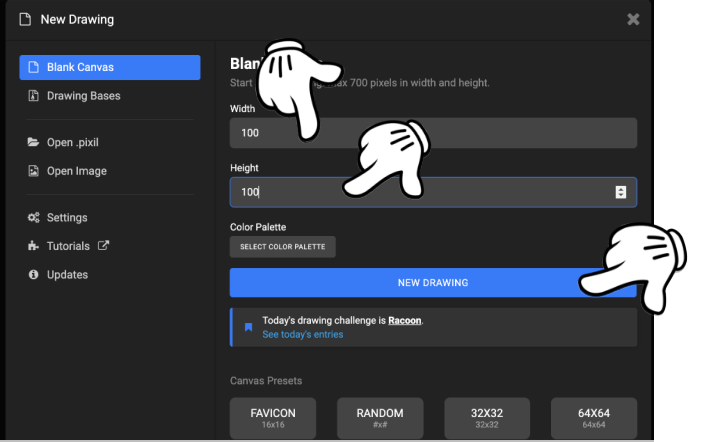
 You need to change the sizes of the grid to match your pixel design:
- Change width from 100 to 30
- Change height from 100 to 30
 You can select a colour palette if you wish, or just leave the standard one.
 Now click the new drawing button.
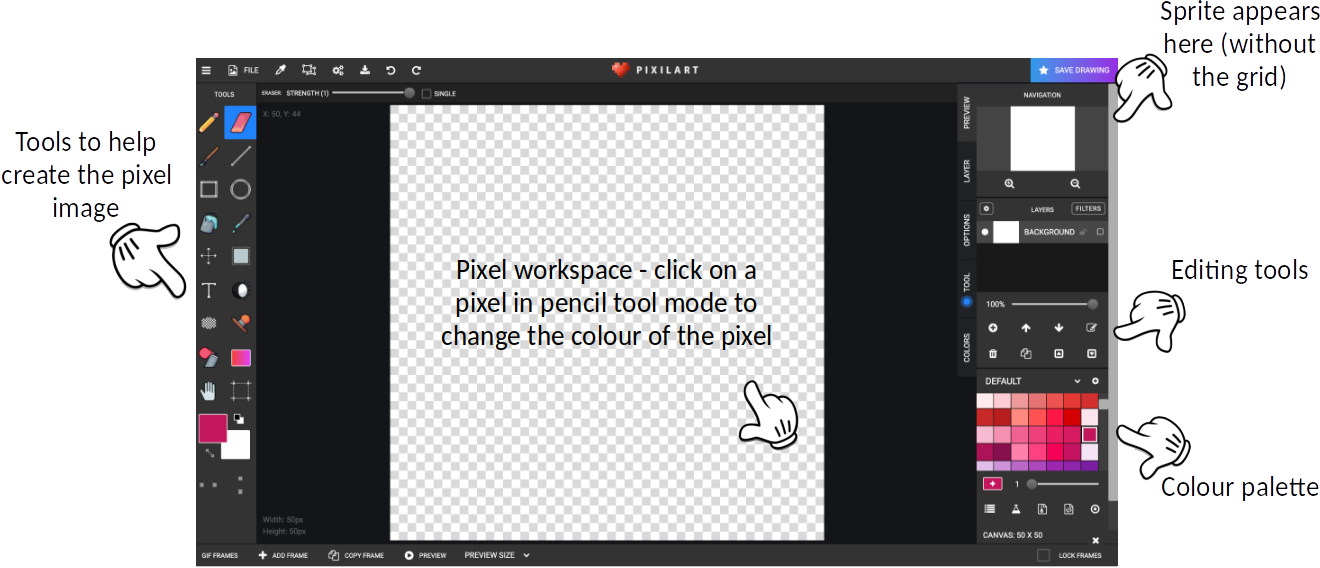
The PixilArt work space
Here is the work space in PixilArt:
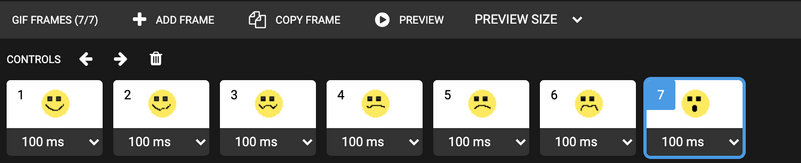
How can we make an emoji?
Watch this video to see how to create an emoji sprite:
Let’s download our art!
Click on File in the menu bar…
Click on Export/Download:
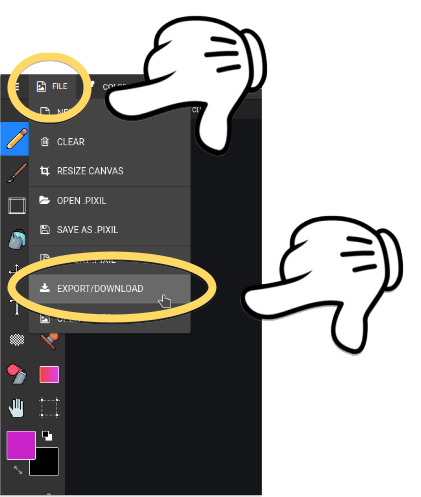
Now click on Download .png:
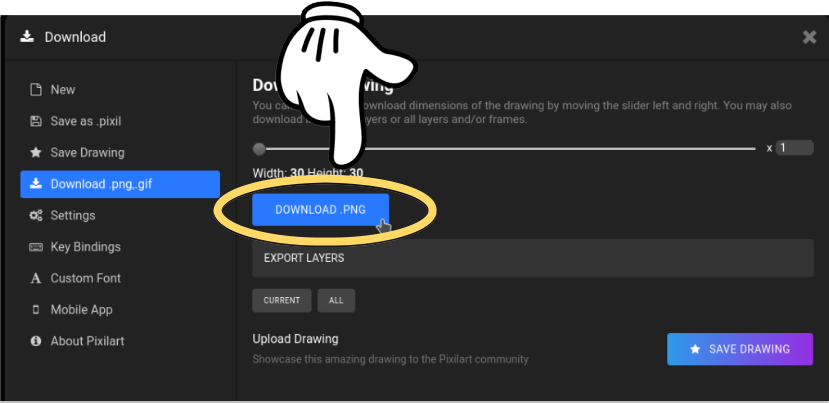
Go find where you downloaded your drawing.
Rename it to something like: myface.png
Time to upload our art into Repl!
Click on these 3 dots:
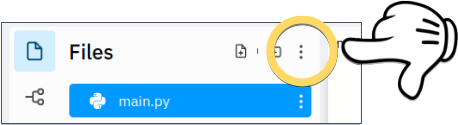
Click on Upload file:
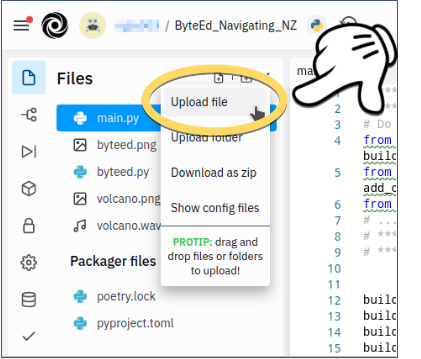
Select the image you downloaded from PixilArt.
Check it’s there:
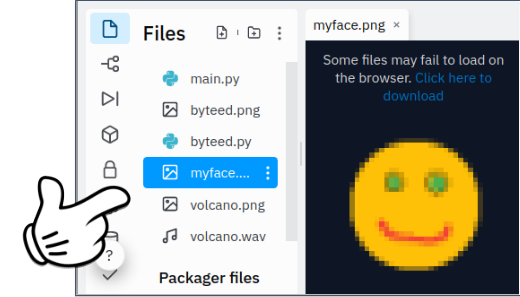
Tell our program to use our new image!
Add the following code to your program, by specifying the name of the file representing your sprite. For example:
set_character("myface.png")
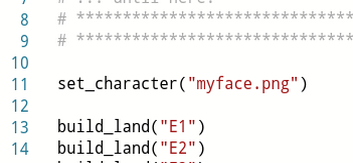
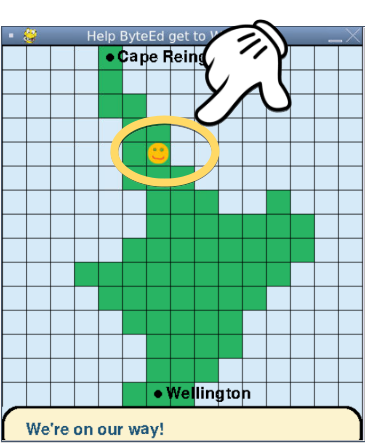
Run your program again, and check your character is moving!
 Kua mutu? Finished?
Creating sprites
Can you create another pixel character for your educational game?
This way the user can choose their sprite!
Or, have a go at animating your sprite in PixilArt :)