
Sequence and algorithms (unplugged)
Unplugged Lesson

This lesson is unplugged, meaning you won’t need a laptop or computer – just the paper handouts!
Learning Outcomes
Learning intention: how to use sequence to create algorithms.
- To use decomposition to break down a large task.
- To understand the term sequence.
- To create simple sequential algorithms.
- To debug any errors and modify/improve algorithms.
 Kōrero Mai
How can we write step by step instructions?
Look at this map:
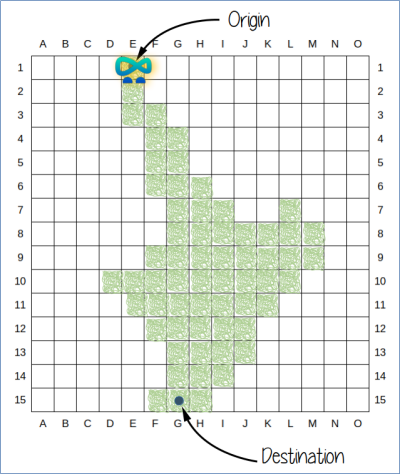
Can you create a list of instructions to move ByteEd from the origin at E1 to the destination at G15?
Use arrows to help describe the instructions…




Sequence
 Sequence - raupapa
Now it’s your turn!
Use arrows to write your own instructions for moving ByteEd from your chosen origin to your destination.
Either use the arrow cards to help you, or draw on paper or the whiteboard.
Use these cards to help you:
 ByteEd: Can move around on your island.
 Run: Lets the tester know when you are ready to check your instructions (place at the top when ready).
 Origin: Place at the starting point on the map.
 Destination: Place at the ending point on the map.
Debugging

Debug - patuiro
It’s now time to test and check your instructions…

- Swap islands and instructions with a partner.
- Get your partner to follow the instructions.
- Are they easy to follow?
- Are there any errors?
- If there are any errors, then these are known as bugs!
- You need to “debug” the instructions (change and improve them).
- Test again, and keep trying until ByteEd is successful.
Languages
How can we change programming language?
Consider the following compass:

Have another go at writing the instructions for ByteEd to move across your island.
This time, instead of using arrows for instructions, try to use compass points:

Think carefully about which way would be North, South, West, and East.
 Changing language!
Instead of the arrow, what compass point did you use?

Instead of the arrow, what compass point did you use?

Instead of the arrow, what compass point did you use?

Instead of the arrow, what compass point did you use?

Algorithms
Algorithm - hātepe
When a programmer wants to create a new computer program, they start with an algorithm.
An algorithm is a written form of precise instructions, which create outputs which can be used over and over again.
When you wrote your instructions for ByteEd to move across the island, you were writing an algorithm.
Kōrero Mai
What are algorithms?
Here are some more examples of algorithms that you may use in the world around you:
Following a recipe:
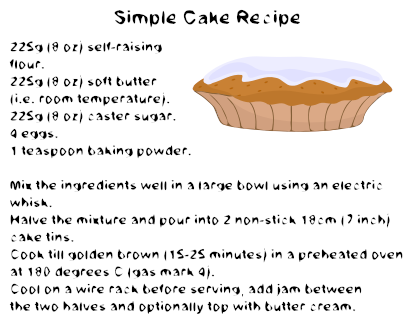
Getting dressed:

Sorting pencils:

Adding numbers:
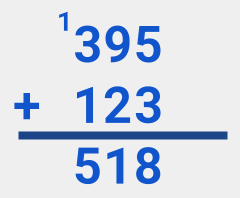
Can you think of any more algorithms in everyday life?
Kōrero Mai
What is the difference between an algorithm and a program?
Algorithms differ from programs.
Algorithms are the starting point for a programmer to create a computer program.
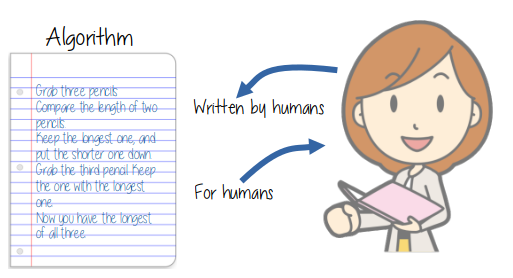
For ByteEd to be able to move on a computer, we need to encode the algorithm into a program.
Programs are written using a programming language.
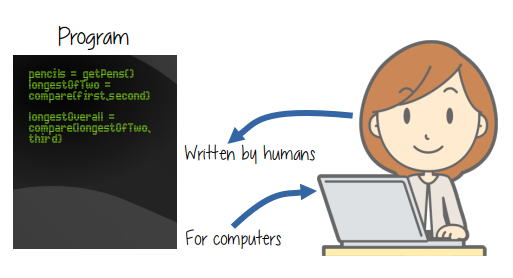
Do you know any programming languages? What are they?
Programs
Program - papatono
To get ByteEd doing what we want, we need to use a special type of programming language called Python.
Python is the only language that ByteEd understands!
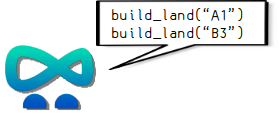
Algorithm to Program
It’s now time to convert our algorithm into a program.
The first stage is to build the land in the grid.
To do this, you need to use the grid references that you wrote down in the first lesson.
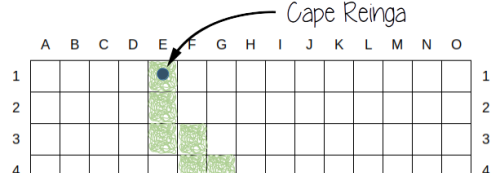
On this example, you can see the first block of land to colour in green is E1.
To write this in Python, we do this:
build_land(“E1”)
 Using the correct syntax in Python
There are a few points to know about Python:
- There is no blank space in between words. Instead, you need to use an underscore: _
- Each cell number, e.g. E1, must be surrounded by quotation marks: “E1“
- You must use parentheses around the cell number. These are the round brackets: (“E1”)
Now it’s your turn!
Before you type the code into the program, you need to write out the correct stages of the program.
Step 1: Build the land!
For the example map shown below, programming to build your land would look like this:
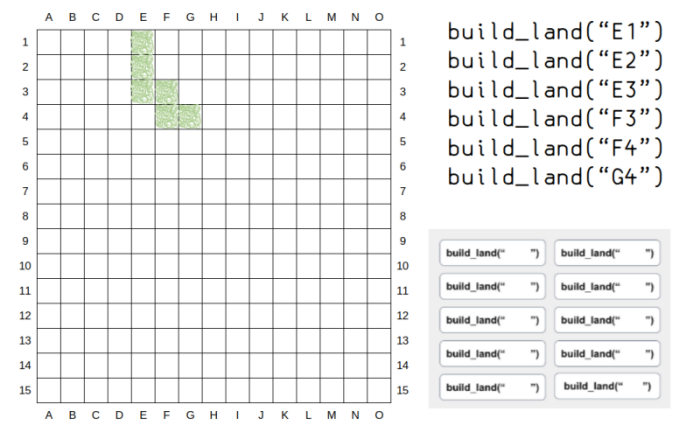
If you find writing out the program by hand tricky for now, use the program cards and write in the cells with a pen.
Step 2: Origin and destination
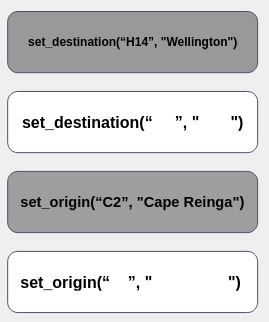
Once you have listed the code for building the land, you need to set the origin and destination.
This is the Python code that you would need to set the origin:
set_origin(“…”, “…”)
This is the Python code that you would need to set the destination:
set_destination(“…”, “…”)
Of course, instead of the …, we need to put the actual cells and city names!
For example, the map shown below would look like this:
set_origin(“E1”, “Cape Reinga”)
As you can see, not only will this instruction identify the cell location of the origin, but it will also give the cell the name of the place that you want to start!
Do the same thing for both your origin and your destination.
Once again, you can use the program cards and write in the cell details if you prefer:
Step 3: Setting the steps to move
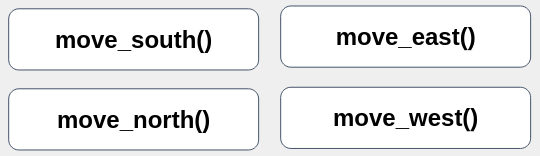
The next step is to program ByteEd, moving from the origin to the destination.
You can use the algorithm that you created earlier to help you here.
This is the Python code that you would need:
move_south() move_north() move_east() move_west()
Once again, you can use the program cards if you prefer:
Step 4: Start!
At the end of the Python code, after you have set up all the instructions, you need to tell the computer to get started so you can see your program execute!
To do this, you input this code at the bottom:
start()
You do not need to tell the program when to stop - it will understand when to stop as it will run out of code to follow!

 Check your program
You should now have a written Python program that is ready to trial.
Make sure it has:
- Code to build land cells,
- Code to set origin and set destination,
- Code to move ByteEd from the origin to the destination,
- Code to start executing the program.
Step 5: Test, trial and debug!
Once you have written out your program in Python, you need to make sure it is correct.
Swap your program with another student.
Check for the following:
- All instructions are in the correct order,
- No spaces in between letters and numbers,
- Use of quotation marks and parentheses is correct,
- All instructions are spelled correctly,
- ByteEd stays on the land and never hits the water.
 Kua mutu? Finished?
Practice writing algorithms and programs.
What happens to the algorithm if you change the origin and destination?
What happens to the program if you change the origin and destination?