
Programming in Repl!
Learning Outcomes
Learning intention: how to use sequence to create algorithms.
- To convert an algorithm to a program.
- To understand how to set up in Repl.
- To use decomposition to test and trial the program when inputting.
- To debug any errors and modify/improve programs.
Online learning: Setting up Replit
 Go to https://replit.com.
 Log in, or Sign up
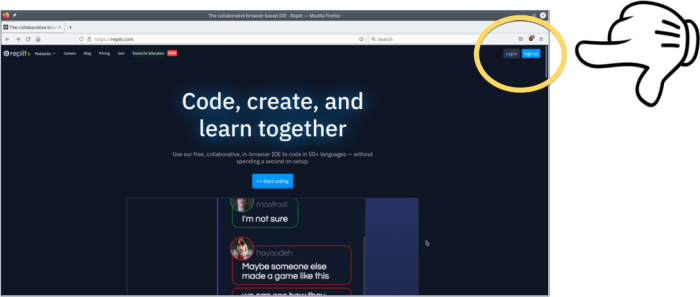
Already have a Repl account? Click Log in.
Need to create one? Click Sign up.

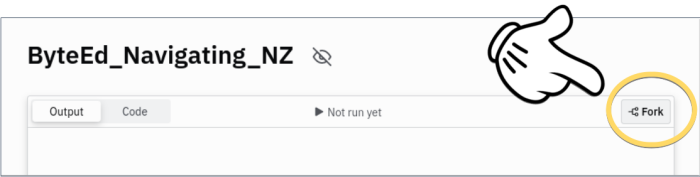
 Go to https://replit.com/@ByteEdPython/ByteEdNavigatingNZ?v=1.
 Press the Fork button:
 Press the Run button:
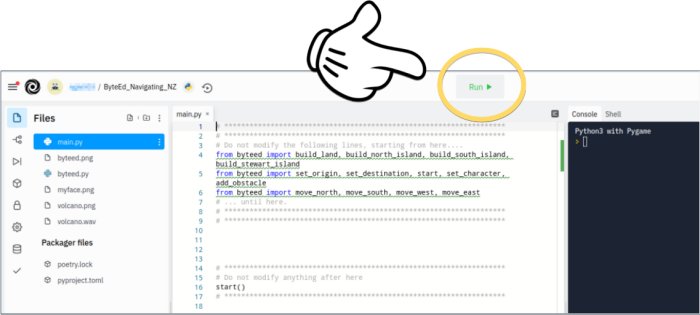
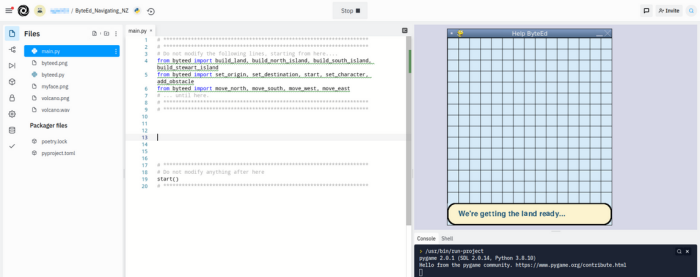
If you see this, you’re all set!
Familiarising with Replit
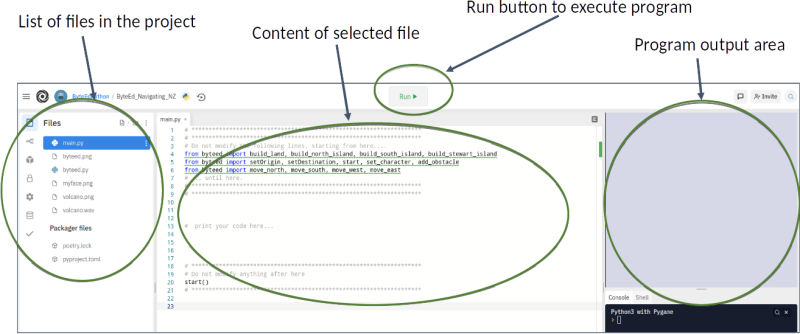
Once the project is forked, you get your own copy of the project as follows:
Press the  button!
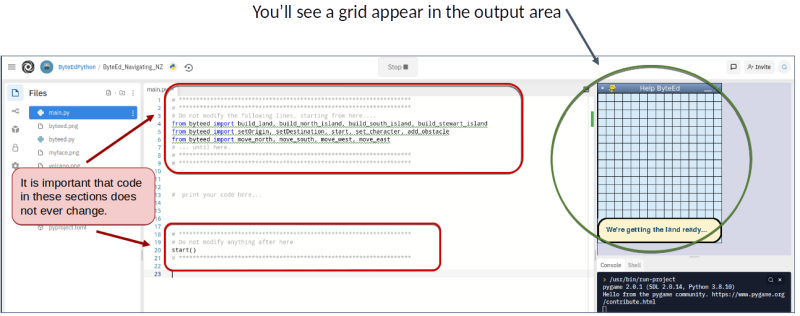
As shown in the picture above, it is important you do not modify any of the code inside the  sections.
Try this out!
Below is the embedded project – but you will need to sign in, and fork it (see instructions above) to work on your own copy.
You should at least be able to run the example:
Testing the code!
We are now ready to write a little bit of code, and see what happens!
In the section outlined below, type in the code shown.
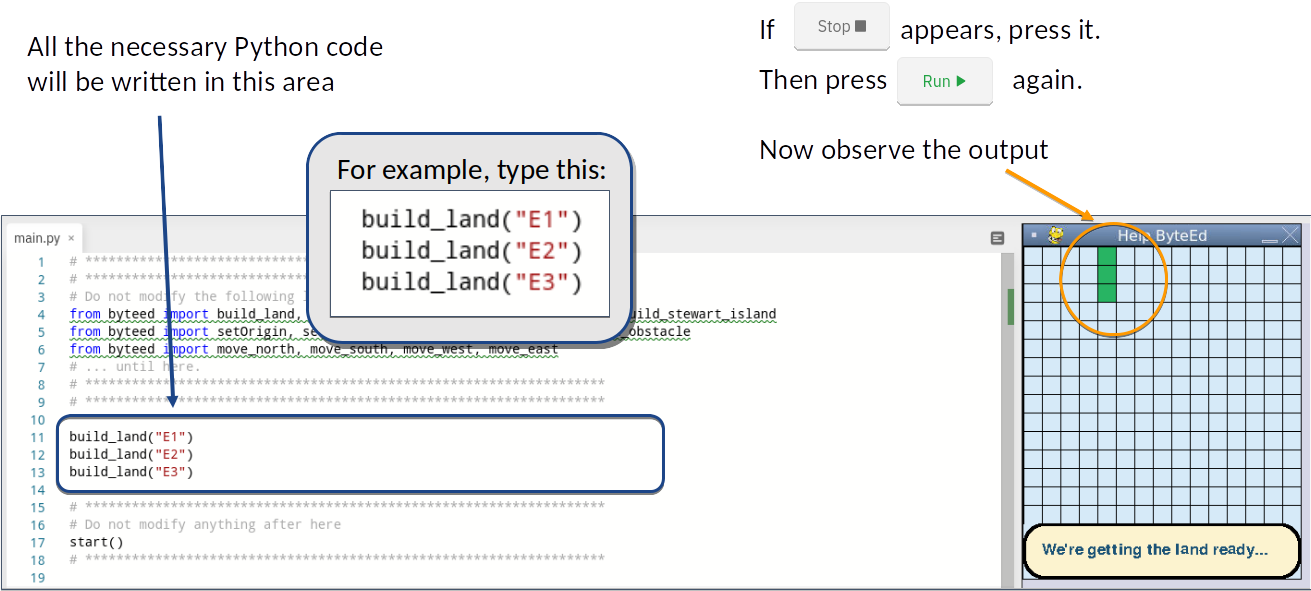
Once you’ve done that, press the button to check if you see any land!
 Guess the letter!
Consider this code:
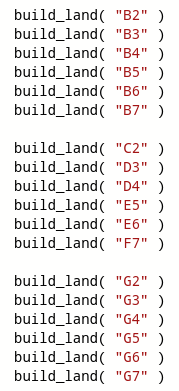
What letter do you think it prints? Fill out the printed grid to figure it out.
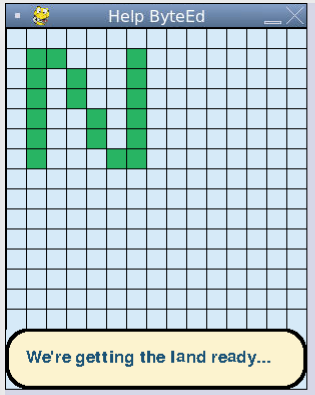
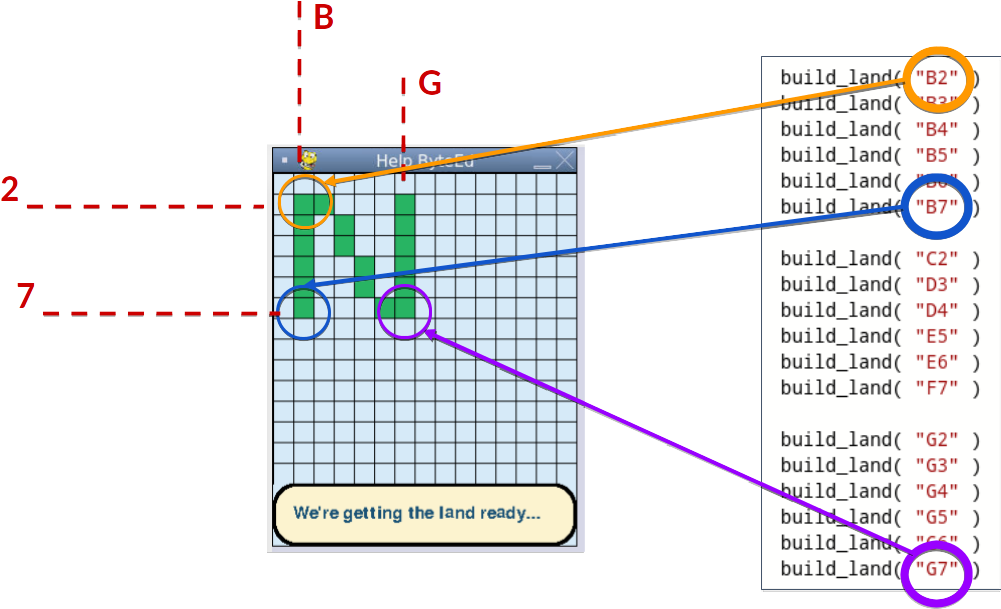
Unsure how that works? View the hint below:
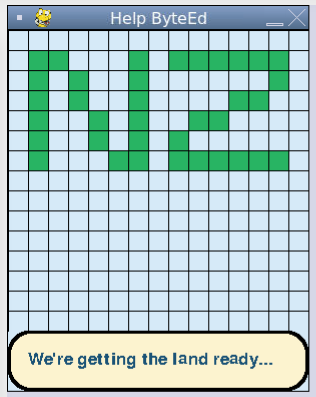
Want an extra challenge? Write the code to draw the following letters:
Programming Land
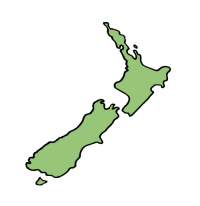
It’s time to build your land by converting the algorithm into a program!
Now that we know where and how to type our Python code, we can plot our actual land!
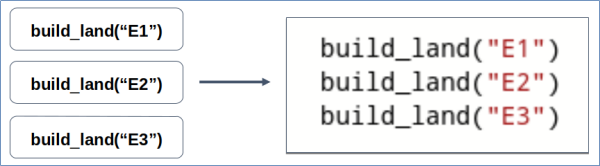
We will need to transfer the algorithm (our blocks) into a Python program.
Here’s examples of the algorithm blocks, and their equivalent Python code:
Use decomposition and iterative testing:
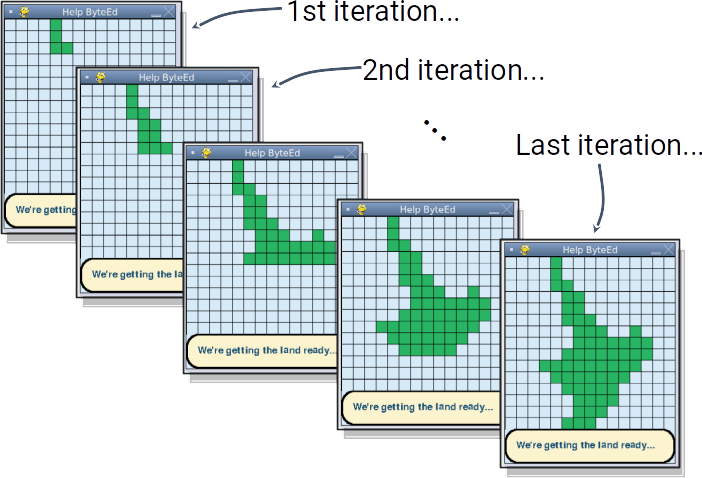
During your programming, try to check and test your program regularly.
This will help you to find any errors (bugs), and debug them quickly.
Find the bugs! 
Consider the following (correct) code snippet:

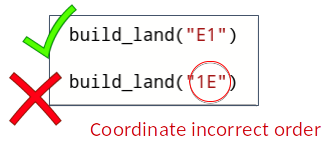
In this part of programming, there are a number of common errors (bugs) that you may find.
Can you guess what the errors are in each of the following cases?
Bug #1: 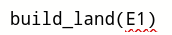
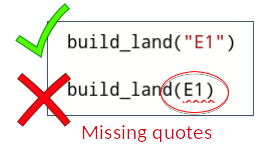
Bug #2: 
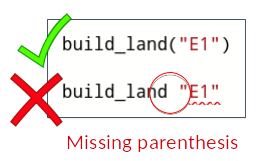
Bug #3: 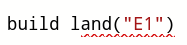
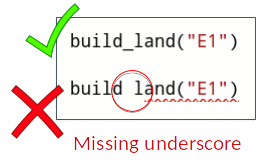
Bug #4: 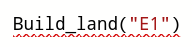
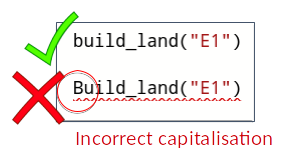
Bug #5: 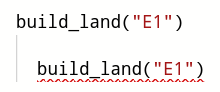
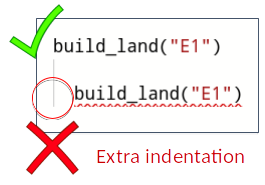
Bug #6: 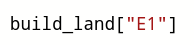
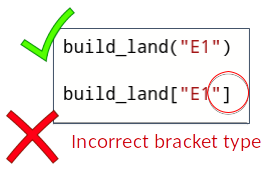
Bug #7: 
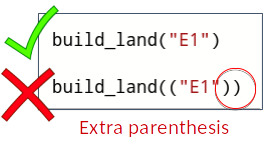
Bug #8: 
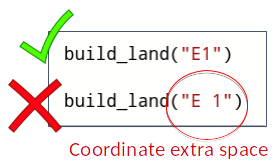
Bug #9: 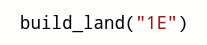
Peer Testing & Feedback (Round 1)

- Complete the program - check it matches the algorithm.
- Ask a friend to check your program, while you check theirs:
- Does it add all of the land blocks needed when the program is run?
- Are there any errors (bugs)?
- Can you find where the errors are, and debug them?
- Do you need to make any changes based on the feedback?
Programming the Origin and Destination
Once you have built the land, you need to:
Add the starting point (origin) for ByteEd’s travels:

Then add the end point (destination) for ByteEd’s travels:

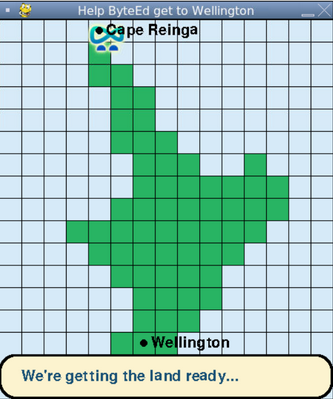
You should then see your origin and destination placed in your Repl output when you run your program.
For the example above, we get the following:
Peer Testing & Feedback (Round 2)
Similar to the previous round of peer testing, but now focus on the origin and destination.
- Complete the program - check it matches the algorithm.
- Ask a friend to check your program, while you check theirs. Try to ask someone new this time - it’s better to get feedback from different people:
- Does it add all of the land blocks needed when the program is run?
- Are there any errors (bugs)?
- Can you find where the errors are, and debug them?
- Do you need to make any changes based on the feedback?
- Is the origin set correctly?
- is the destination set correctly?