
Lesson 2 - Creating buildings
Creating 3D buildings in Blender
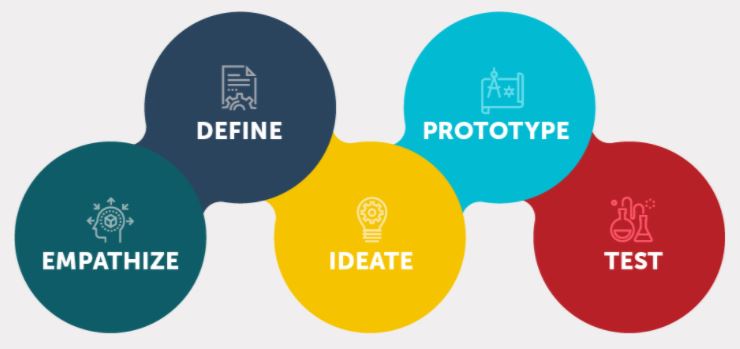
 Kōrero Mai: What is Design thinking?
Design thinking is a human-centered approach to innovation and product design.
Design thinking encourages designers to focus on the people they're creating for, which leads to better products and systems.
As designers we can follow a design process to create and develop technological outcomes.
What is Research? Why do designers use it?
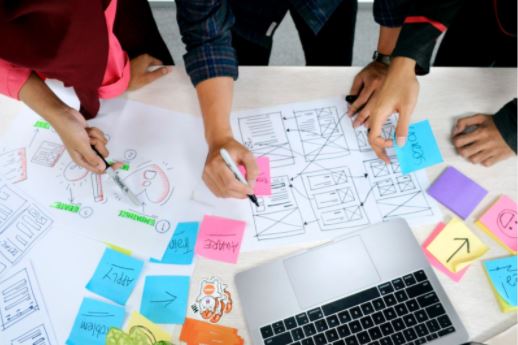
Research helps a designer at the beginning of a design process. It helps the designer to find out more information about needs, stakeholders, users, environments and technologies.
Great design is built on good research.
Why is research important?
- it helps designs to be based on fact.
- it helps to build empathy and understanding for the user/stakeholders.
- it provides the foundation for initial design work.
- research provides a way to validate design direction. (It gives reasons for designing a product)
What is a design brief?
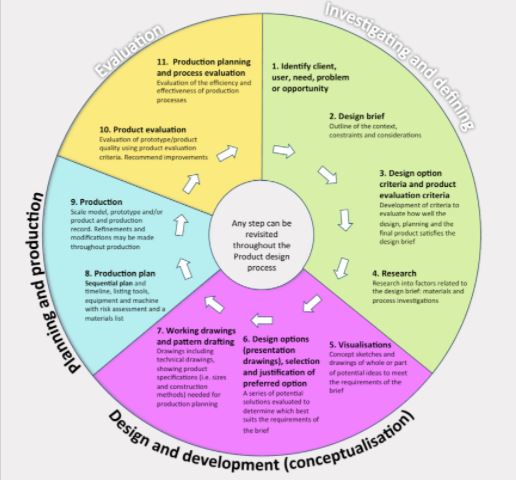
A design brief is a statement written by a designer after they have identified a need. It explains what will be designed and why this need is important.
Today you are going to be given a brief to research into and develop designs for.
Given brief: To design and model a New Zealand Gold Miner Hut using Blender software. You will need to research examples of historical NZ buildings to help you to create a simple design and 3D model in Blender. The goal of this task is to give you chance to explore the tools in Blender to enable you to create realistic 3D models.
Online Research procedures
When it comes to finding images from online as reference, always try to use copyright free pictures but as inspiration, not to be copied…
 Rangahau - Research
Your teacher will help you how to get pictures online in the slides presentation.
Otherwise, follow the instructions that the images are showing.
Safe Searching for information.
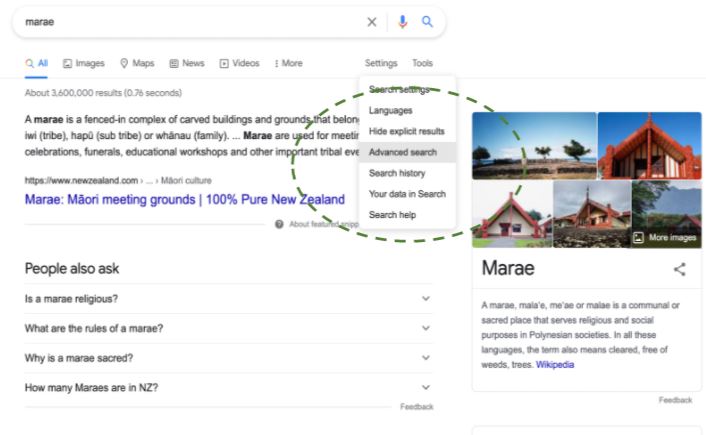
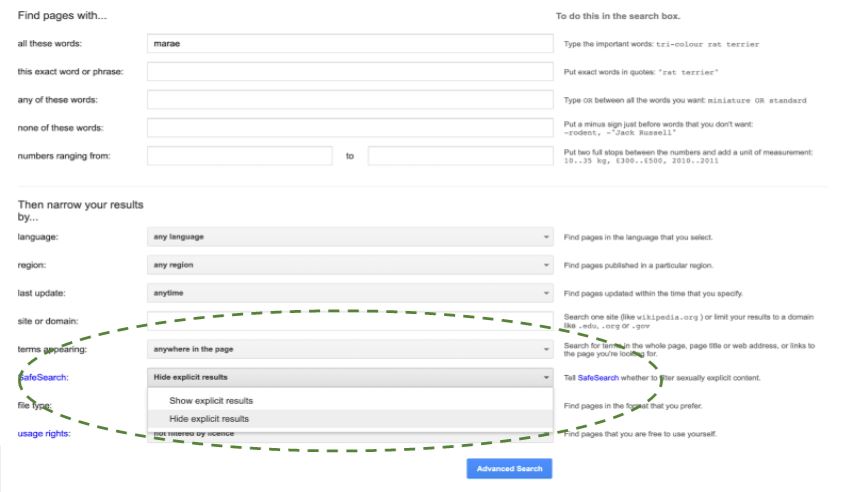
How to use appropriate images (open source - not copyrighted).
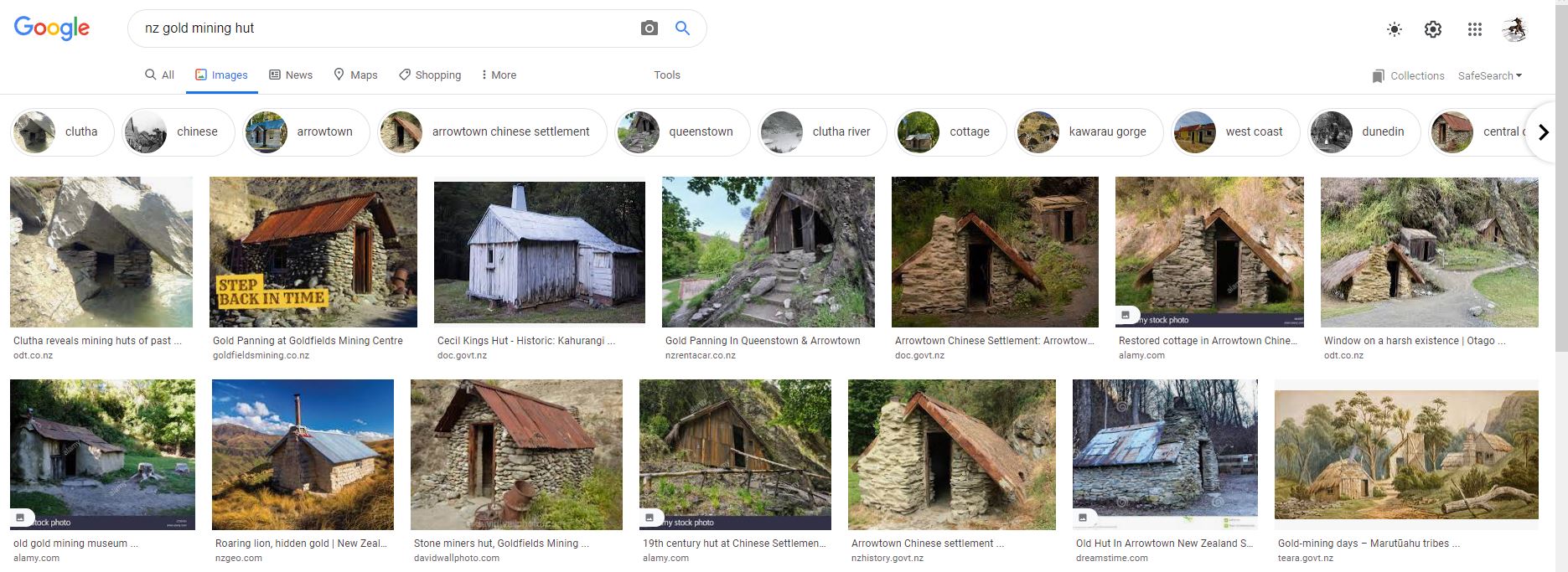
Attribution of images & research.
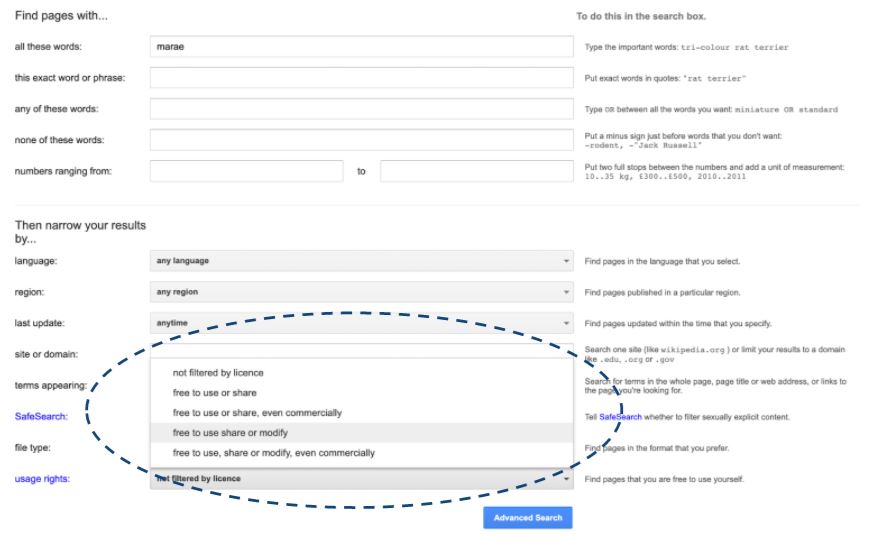
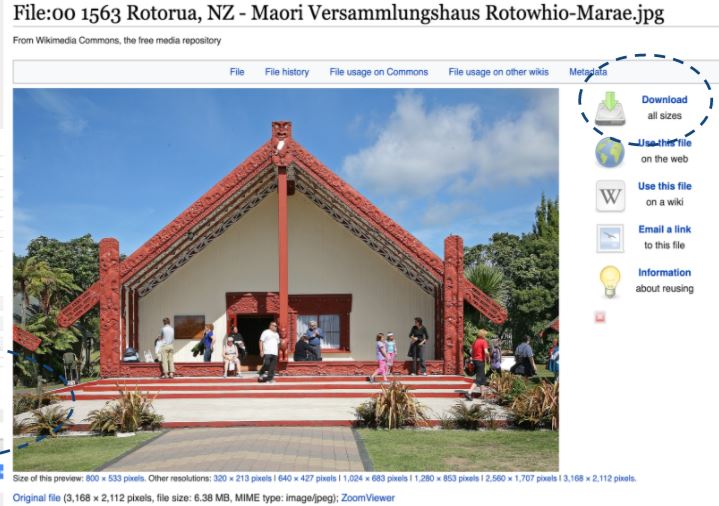
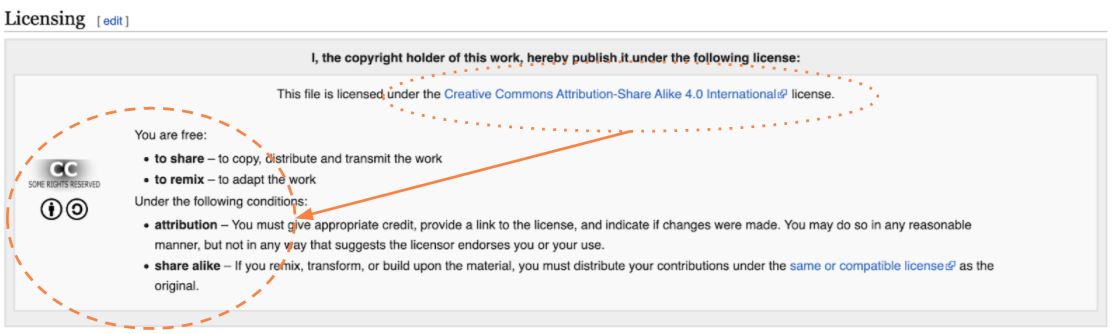
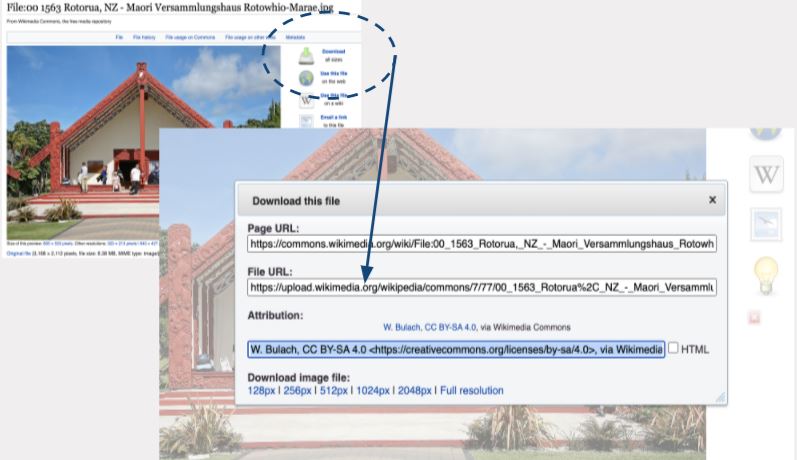
Image Attribution: W. Bulach, CC BY-SA 4.0 https://creativecommons.org/licenses/by-sa/4.0, via Wikimedia Commons
 Kua reri? - It's your turn... Research into a context
Research: Gold mining Era - what did the gold miners live in?
Student Task: Using digital tools and search engines you are to research:
- when were the first gold miners in NZ?
- where did you find gold miners in New Zealand?
- what did gold miners live in?
- what are the buildings key features and materials?
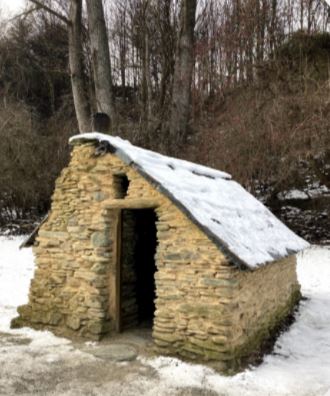
Kua reri? - Kua reri? Ready? Gold miner hut Designs
Student Task:
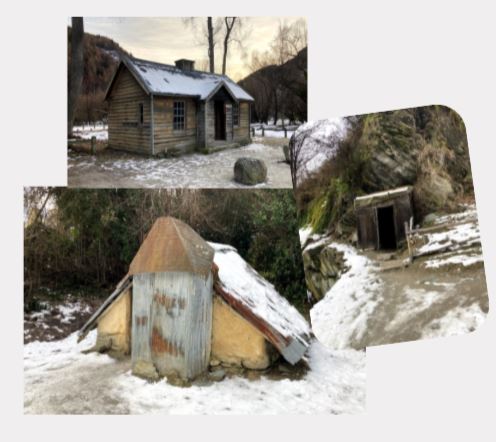
Use your research to help to generate quick sketches and design ideas for your Gold miners hut.
Remember to include the key features of a hut:
- Walls
- Door
- Roof
- Window
- chimney
- materials
- Fireplace
- Any other key features
 Hoahoa - Design
Now that you have a few ideas of how you want your models to look…
- The next slides will provide you with a general idea of how to create a hut in Blender.
- When following these steps, you don't necessarily need to follow it exactly but it will help.
- Remember to keep your 3D model simple at this stage and take your time.
- Work at a snail's pace: Art takes time, effort and patience.
Folder structure
Good folder structure tells us where everything is
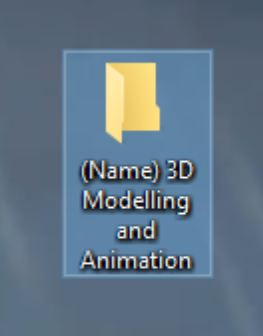
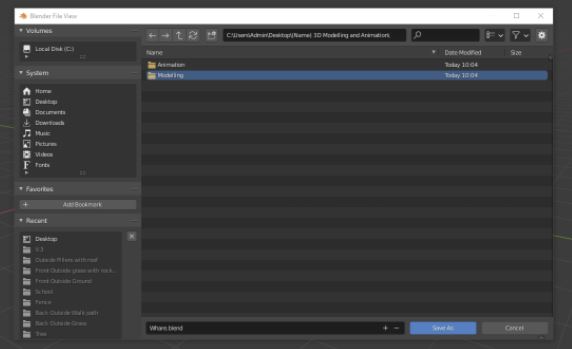
- Before we create our models, we're going to create a folder on our desktop (Or somewhere else that you know where to find it).
- Name it similar to the picture.
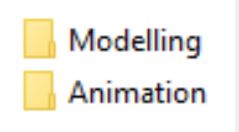
- After that, create two more folders inside this folder.
- Name the two new folders 'Modelling' and 'Animation'.
Now we will know where everything is…
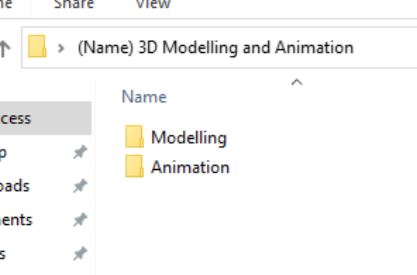
- Save all of your models in the Modelling folder and Animations in the other.
- We're doing it this way so that we can differentiate which Blender files have animations in them or not.
- In the long run it will help us to be organised and find files easily.
- If you have/create other Blender files, put them in the right folders.
Kua reri? - Open Blender...
Let's test the save function!
- Every time we open a new Scene at this stage, remember to always delete the Camera and the Light but leave the Cube.
- Once you've done that, it's time to Save your Blender file. (see next slide)
- Why do you need to save regularly? in case something bad happens to your work or if Blender decides to crash, which can result in you losing 10 minutes to 1 hour of progress.
- If you have/create other Blender files, put them in the right folders.
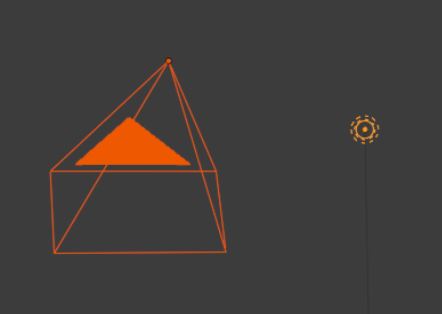
Remember to ALWAYS save every 5 or 10 minutes!
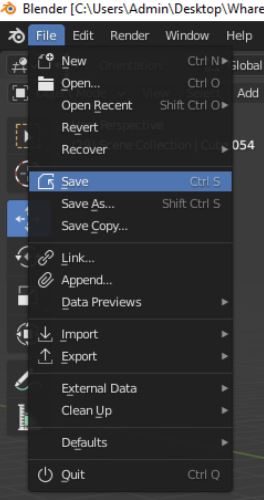
- At the top right corner, click on File and then hit Save,
a small window will appear right in front of your scene.
- Find where you put your folder, name it and save the file in the Modelling folder.
- Remember to save the file in the right folder.
- Generally we will only need to use the ''Save'' function, but sometimes we can also use the ''Save As'', this will allow you to make a copy of the original file and name it as a different version.
Save As is a good alternative to undoing mistakes because…
- You don't have unlimited ''Undo''
commands.
- If you know you're going to modify something big on your model, save a new copy in case you don't like the changes and can't Undo the entire process.
- This will increase the file amount but it's better to be safe than sorry.
Kua reri? - Ready? How to make a Gold miner hut in Blender
Follow the video at your own pace and if there's anything you don't understand, your teacher should have the answers in the presentation slides.