
Lesson 3 - Creating Animals
Creating 3D animals in Blender
 Kōrero Mai: What different 3D geometric shapes (forms) can you think of?
Fact: In design, a shape is two-dimensional (2D) like a square or a triangle. A form is three dimensional (3D) like a cube or a pyramid

Recap: What is a design brief?
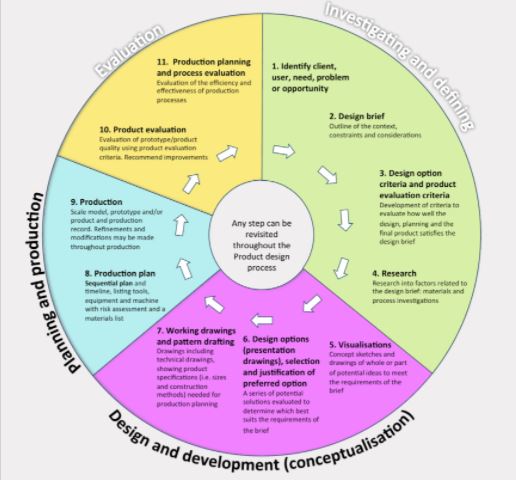
A design brief is a statement written by a designer after they have identified a need. It explains what will be designed and why this need is important.
Today you are going to be given a brief to research into and develop designs for.
Given brief: To design and model a New Zealand animal using Blender software. You will need to research examples of NZ animals to help you to create a simple design and 3D model in Blender. The goal of this task is to give you chance to explore the tools in Blender to enable you to create realistic 3D models.
 Kua reri? - Research: Animals of New Zealand
Student Task: Using digital tools and search engines you are to research:
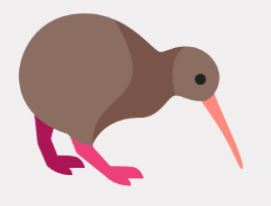
- What animals are there in Aotearoa (NZ)?
- Choose two to focus on - what are their key features?
- Could you make them in Blender using 3D shapes?
- Which shapes could you use?
Student Task:
Use your research to help to generate quick sketches and design ideas for your animal.
Use shapes to help you to draw the animal.
Remember to include the key features of an animal:
- Body
- Head
- arms/legs/wings
- other distinguishing features
Fact: When we use shapes to help us to draw it is known as ‘crating’.
 Hoahoa - Design
Kōrero Mai: Character Designs - Ideas
When coming up with ideas for your character, it's important to not complicate it too much
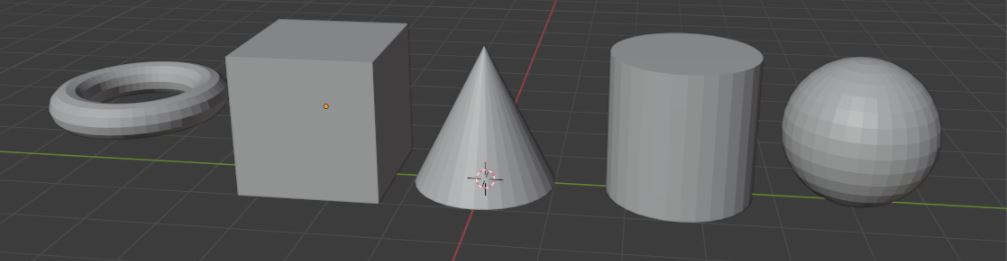
- At this stage, you only have simple shapes that can be scaled up/down/sideways and rotate it.
- You can still work around it if you're creative enough! (Don't use the monkey head!)
While limited… you can still create the animals that you have in mind
In 2D, when sketching a character you generally draw the basic shapes to then fully create the whole character, and 3D is no different.
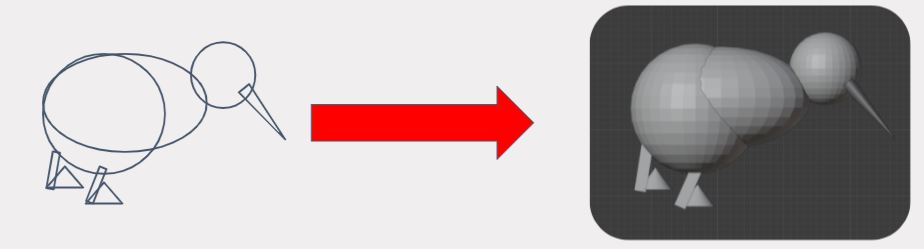
LowPoly and HighPoly 3D
Can you tell which one is which?
What is the difference between HighPoly and LowPoly?
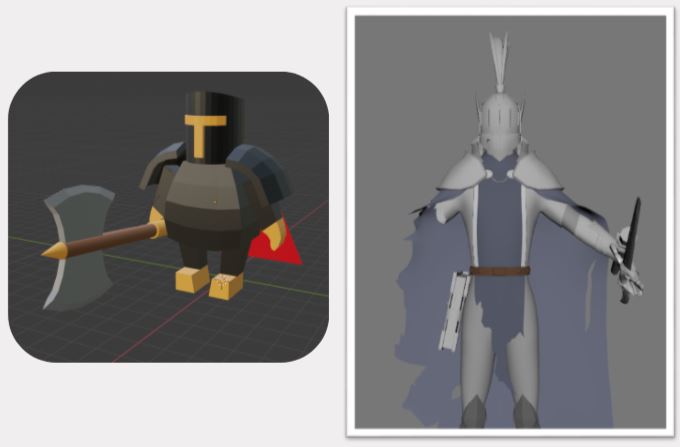
3D has a unique style called LowPoly.
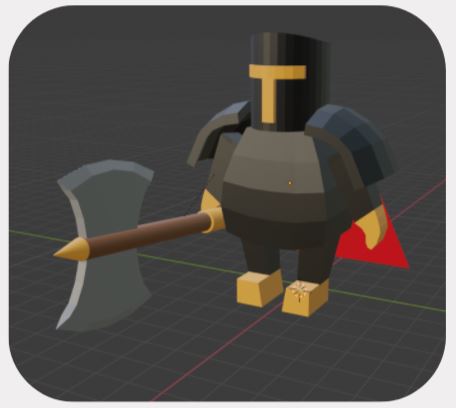
- LowPoly is essentially a less detailed model but it still looks appealing.
- Imagine pixel graphics but in 3D.
- Lowpoly can be difficult to make it looks right even though you don't need to put as much detail as a HighPoly model.
More shapes, more details…
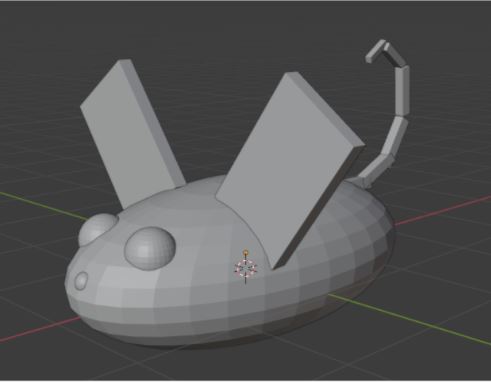
- Even if it's simplified, don't be afraid to use as many 3D shapes as you want to create your final result. (although, it may crash Blender/ slow you computer)
- When it comes to animals with tails,feathers and such that may have bending body parts, at this stage it can be done by adding multiple meshes like in the picture.
If you’re creative… You can create anything even with limited tools
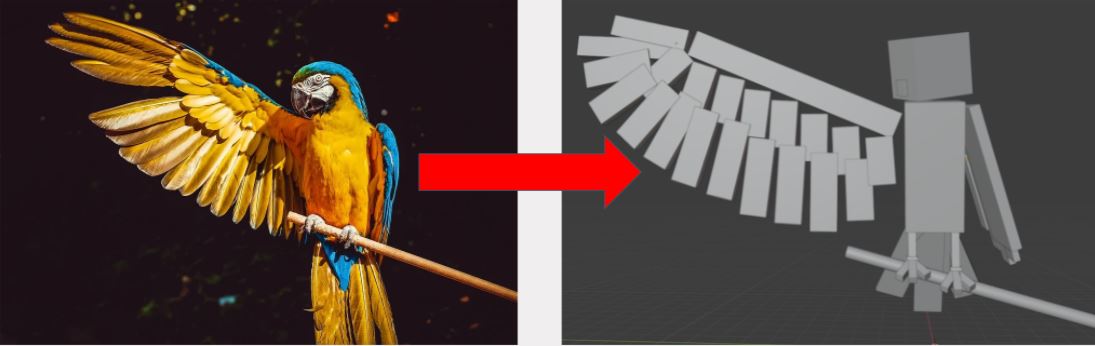
It’s important that before we create our character we make poses…
Always create the character in a basic standing position and then make a whole duplicate of the character and put it next to the original. Then you can pose the character.
This will prevent mistakes such as not liking the pose but can’t go back to how it looked originally.
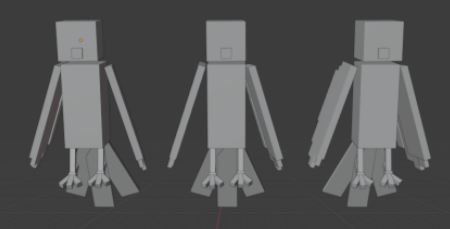
Time to create your animal…
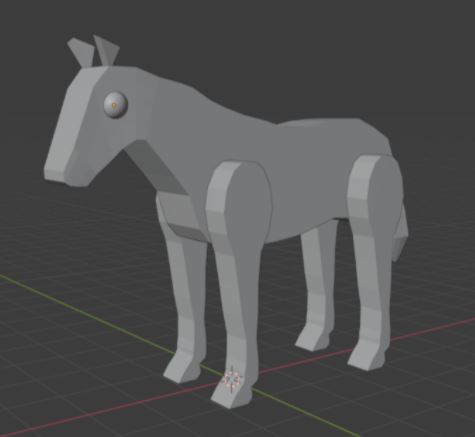
- The slides will show you how to create a character in a general sense.
- Even if you're creating a different animal from what the slides are providing, it will still be good to follow along with for some of the tips and tricks.
- If you don't have an animal in mind, follow this tutorial and everyone should have a 3D character at the end of this lesson.
Kua reri? - Time for Blender!
Follow the video at your own pace and if there's anything you don't understand, your teacher should have the answers in the presentation slides.