
Lesson 02: Stakeholder Reasearch & Practising C# in Unity
 Kōrero Mai: What stages of the design process did you cover last session? What did you decide?
Recap: Stakeholder
Today, you are going to explore aspects of design thinking that link to the primary stakeholder…
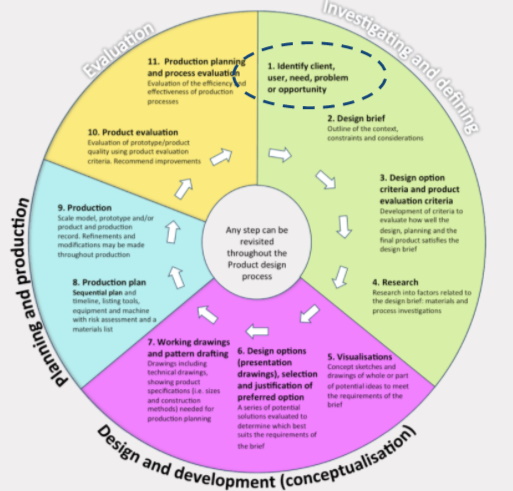
Primary Stakeholder…recapping the need…
Need:
Children need to practise developing their fine motor skills to enable them to succeed in everyday tasks. Precise movements using small muscle groups such as hand/eye coordination, agility, reaction time, speed are needed for all children from toddler to adolescent. To aid the development of these skills you are going to design and prototype a 2D breakout game for a stakeholder of your choice.
 Kua reri? - Ready? it's your turn... Choosing a stakeholder.
In pairs:
Brainstorm as many different potential users that you can think of for the context that you have been given.
Who do you think needs a game to help them with their fine motor skills?
Discuss your ideas with another pair of students. Use your discussion to help you to choose a user/s. They can also be know as clients.
Researching into a context or design brief…
 Research - rangahau
Now you have decided on your primary stakeholder (user/s) you need to find out more about them.
It’s time to create a client profile…
What types of information do you think you can collect from your game user/s that will help you to design and develop the game?
Kua reri? - Ready? it's your turn... Client profile
Research into your client....
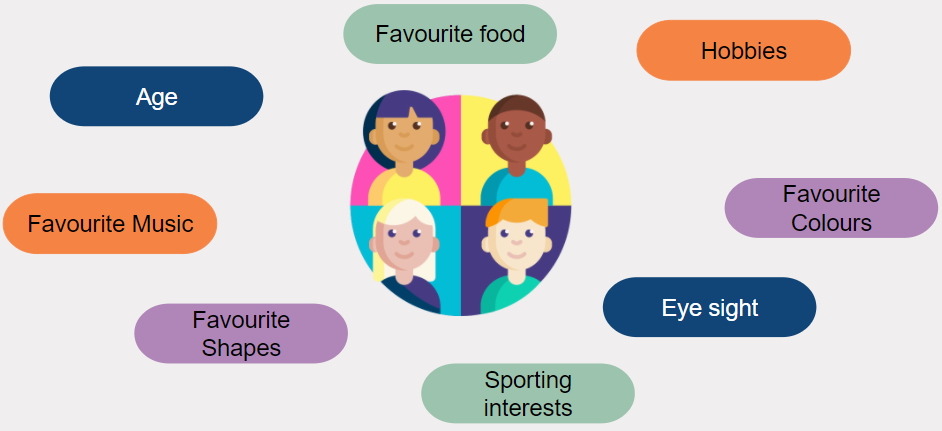
Extension Activity: Once you have discovered more about your client you can create a Mood Board to help you when you start designing your game.
Unity C# programming
What comparisons can you make between two numbers?
Conditional - here
When we compare the values of two numbers, there are comparisons we can make between them. These comparisons will either be true or false:
- Number A is greater than Number B
- Number A is less than Number B
- Number A is equal to Number B
- Number A is not equal to Number B

What data do these questions produce?
When we use these statements, we get a result that is either true or false. A Boolean. Example:
Number A Is Equal to Number B
or
Number A Is Not Equal to Number B
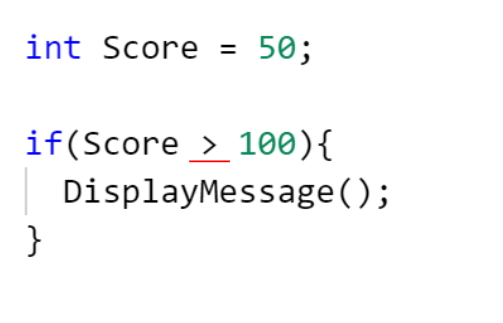
Because of this, we often use comparisons inside of IF statements to determine whether something should or shouldn’t occur.
How do we write comparisons in C#
When coding in C#, we can use the same symbols we would typically use in mathematics. When checking if two numbers are:
- Greater than or Less than each other, we use the
>and<symbols respectively. - Greater than or equal to, we use
>= - Less than or equal to, we use
<= - Equal or not equal to, we us
==and!=respectively
How do we write a loop in C#?
Iteration - tōaitanga
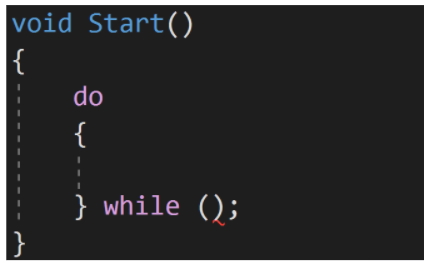
It’s very intuitive once you know the correct terms to us. When you want an action to repeat itself, you would typically use these keywords: Do, For, While. These are the keywords we use when programming loops.
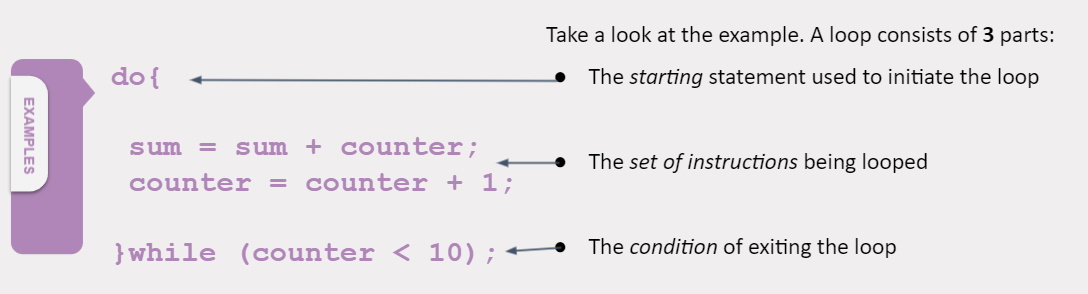 Kōrero Mai: Can you think of anything to be aware of while looping?
When we create a loop, we need to be aware of the condition that we are setting to exit the loop. Here are some examples below:
Can you detect any potential bugs in any of the above loops? What if the conditions are never met? What would happen?
 Kua reri? - Ready? It's your turn... Practice constructing a loop
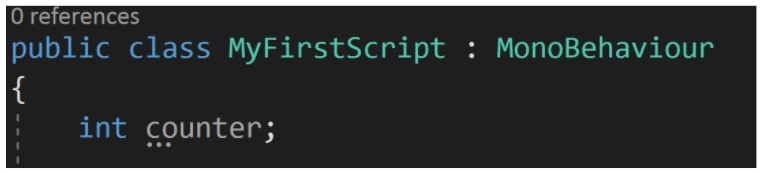
- Create a new script
- Create a variable called 'counter'
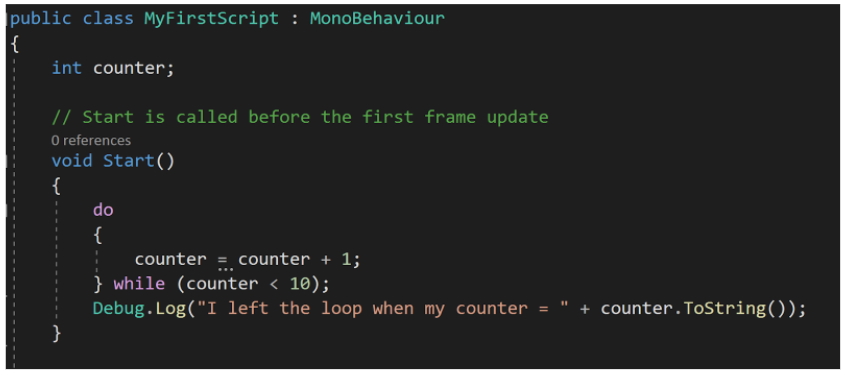
- Use a loop to increase counter by 1 each loop (Counter = Counter + 1)
- When the Counter reaches 10, leave the loop and output a message saying: "I left the loop when my counter = " + Counter.ToString();
Construction a soltuion for a brief
Kua reri? - Ready? It's your turn... Practice constructing a loop
Brief:
You work as an apprentice game developer in the school holidays and have been asked to create a program that spawns enemies for the player to fight against. This program should be able to spawn as many enemies as the developers need and should spawn different kinds of enemies depending on how many are being created.
For testing purposes, when this program finishes, it should output the total number of each type of enemy that was spawned .
Outline:
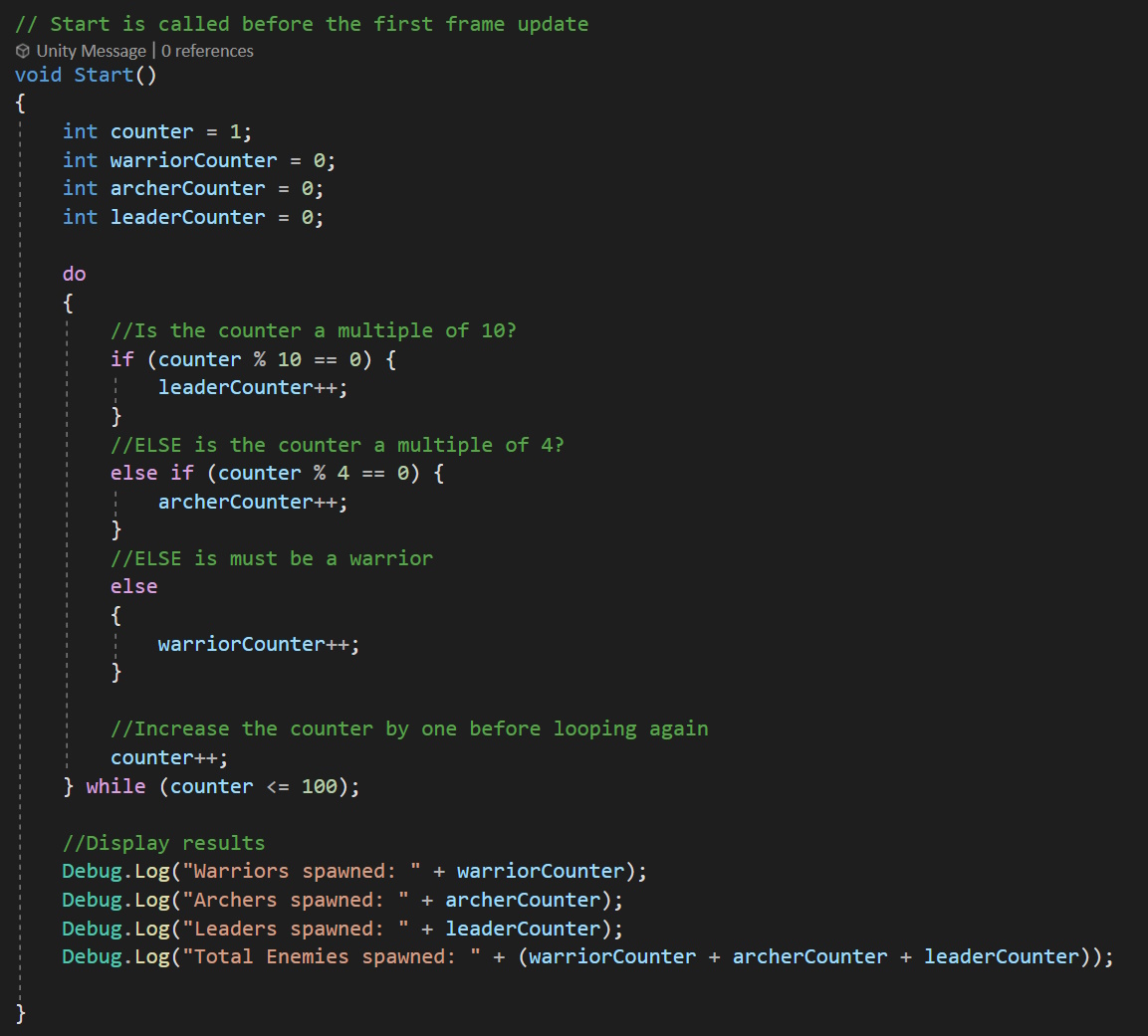
Construct a loop that loops 'x' amount of times. 'x' being a variable that the user can change. Each time the loop runs, an enemy is "spawned" into the world. Represent this by increasing an Integer variable by 1. Each type of enemy should have it's own separate variable that keeps track of the total. When the program finishes, output the number of enemies and their types. The enemy distribution is as follows:
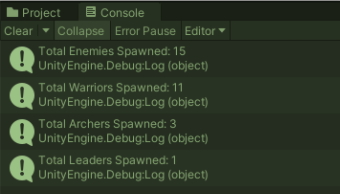
Below is the output of each enemy if we set x to
15.
Task:
What would output look like if x was set to
100?
Tips:
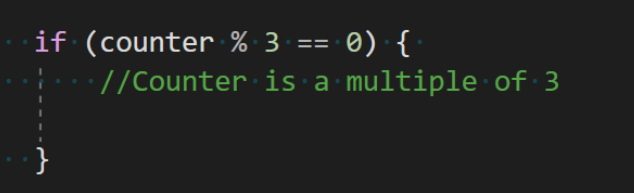
To check if a number is divisible by another number, we can use the '%' sign to find the remainder of a division. This is called the "modulus".
Examples:
So, if we use the '%' symbol to check if there is no remainder, then it must be a multiple.
SPOILER. Possible Solution hidden below.
Kua mutu? Finished? What to try next... Mood Board
Once you have discovered more about your client you can create a Mood Board to help you when you start designing your game.