
Lesson 5: Iteration and Loops
 Iteration - Tōaitanga
 Kōrero Mai: How can we make algorithms and programs more efficient?
What does 'more efficient' mean?
Kōrero Mai: How can we make algorithms and programs more efficient?
What does 'more efficient' mean?
Iteration
 Kua reri? - Ready? It's your turn... Making Algorithms more efficient...
With a partner, write down the instructions for making a human robot (Teacher bot!) walk in a square. Start from the cross. Remember you need to use precise step by step instructions and to decompose the task first...
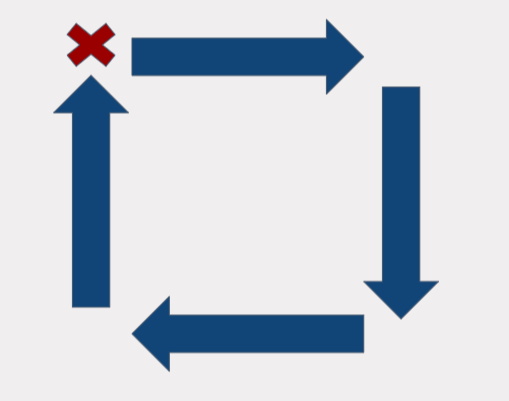
Once the algorithm is completed you can read out the instructions to your ‘Teacher bot’ Where there any errors? what were they? Do you need to debug?
Compare your algorithm to the other students in your class. Did the algorithms end up looking something like this?:
- Step forward
- Turn right
- Step forward
- Turn right
- Step forward
- Turn right
- Step forward
- Turn right
Is this algorithm efficient? Why?
That’s eight lines of code! Did you know the same instructions can be written using just three lines of code. Look again…
Whenever you have code that repeats, you have an opportunity to use a loop to simplify your code. Ask yourself:
Using a loop, we can turn:
Here we have just rewritten eight lines of code as three lines of code, by using a loop. The 'repeat' command creates a loop. The code within the loop gets repeated a certain number of times until a condition is met. The condition in this algorithm is that the code in the loop is repeated 4 times. Once this condition is met, the program exits the loop. This is also known as iteration.
Using a loop, we can turn:
- Step forward
- Turn right
- Step forward
- Turn right
- Step forward
- Turn right
- Step forward
- Turn right
- Repeat 4 times:
- Step forward,
- Turn right
Here we have just rewritten eight lines of code as three lines of code, by using a loop. The 'repeat' command creates a loop. The code within the loop gets repeated a certain number of times until a condition is met. The condition in this algorithm is that the code in the loop is repeated 4 times. Once this condition is met, the program exits the loop. This is also known as iteration.
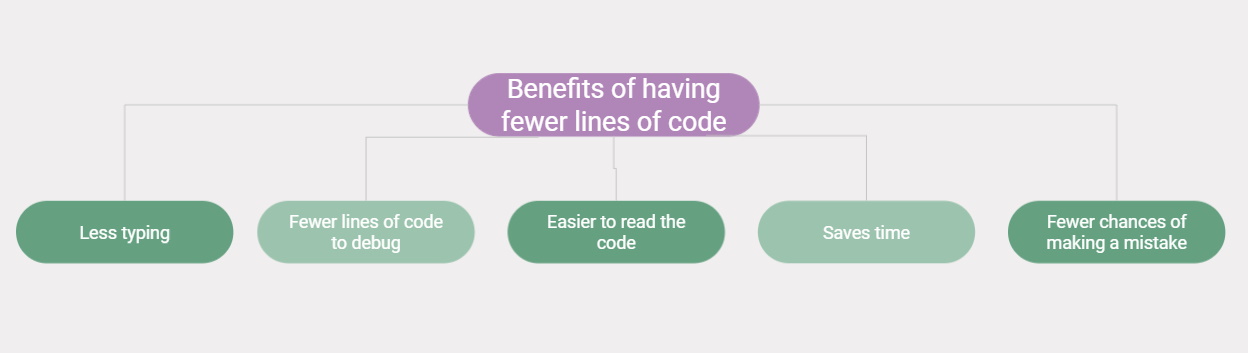
Kōrero Mai: What are the benefits of having fewer lines of code?
 Kua reri? - Ready? It's your turn... Iteration Practice One: Measurements
In pairs, take it in turns to practice writing an algorithm for walking a square. One of you will be the 'programmer', One of you will be the 'bot'.
This time when you program, add measurements for how far you wish the 'bot' to travel. You may also want to include angle sizes when getting your 'bot' to turn, e.g. turn left 90 degrees. This will make your algorithm more precise. ..
Iteration Practice Two: Geometry In pairs, take it in turns to practice writing an algorithm for walking a straight sided shape of your choosing.
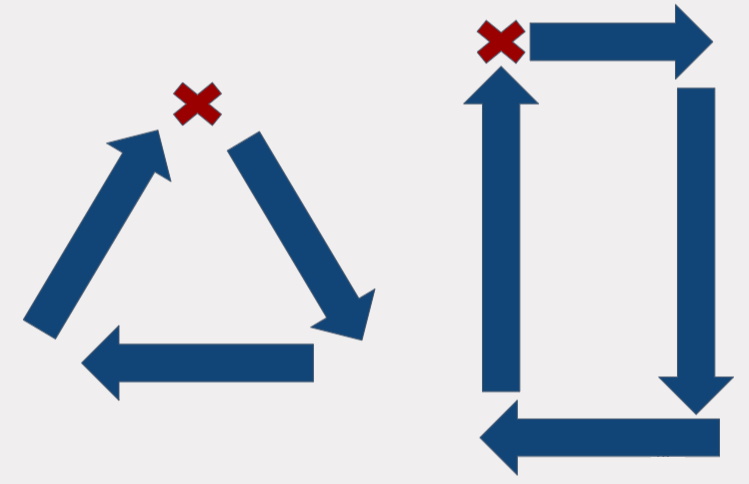
Remember when you program:
How do we write a loop in C#?
It's very intuitive once you know the correct terms to us. When instructing your partner previously, did you use these keywords: Do, For, While ? These are the keywords we use when programming loops.
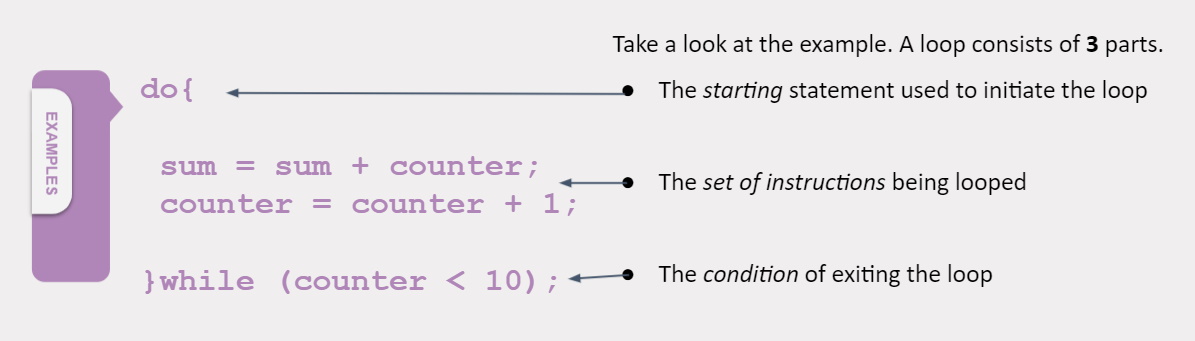
This loops reads as "DO these two instructions WHILE the counter is less than 10"
This loops reads as "DO these two instructions WHILE the counter is less than 10"
Kōrero Mai: Can you think of anything to be aware of while looping?
When we create a loop, we need to be aware of the condition that we are setting.
Can you detect any potential bugs in any of the above loops? What if the conditions are never met?
The answer is our program freezes. It gets stuck in the loop and tends to cause our programs to crash.
 Kua reri? - Ready? It's your turn... Practice makes perfect
There are many styles of loops and ways to write conditional statements, but let's focus on the Do While loop for now.
TIPS: when programming we use
' { ... } ' curly brackets to create a section of code.
One use for this is knowing where the loops starts and stops.
Kua reri? - Ready? It's your turn... Bonus Exercises
Feel like you are getting the hang of loops, or want to try something more challenging. Try the exercises below. Use the README file to see the instructions for each exercise.