
Lesson 6: Binary and Variables
 Binary - tāhūrua
 Kōrero Mai: How do digital devices store and transmit data?
You’ve probably heard the term already, but computers store and process data in Binary.
Why does a computer use Binary?
Simply put, it’s a method of counting numbers using only 0’s and 1’s. Computers use tiny charges of electricity to represent 1’s, or no charge to represent 0’s.
Kōrero Mai: Why do you think digital devices need to convert data to binary?
Understanding Binary
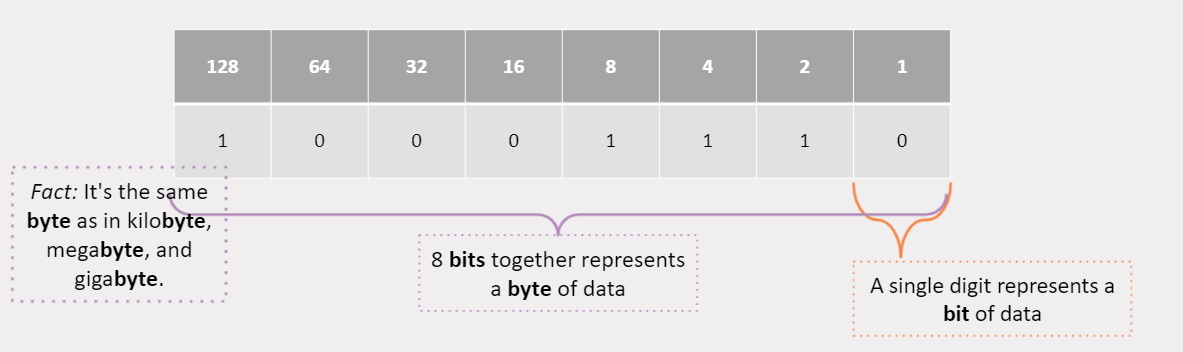
Binary is just another method to count numbers. Instead of using 1’s, 10’s, 100’s like our normal counting system does, it instead uses 1’s, 2’s, 4’s, 8’s, 16’s … and so on.
Let’s take a look at the number 142. If we break it up into its components using Base 10 (our usual counting method), we get:
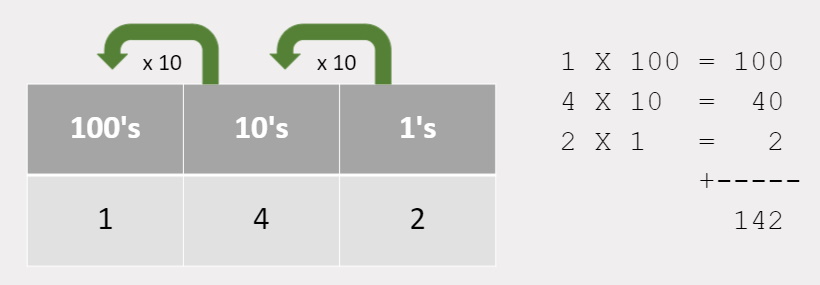
It may not look like it, but we can count to ANY number using the binary method. It may not be natural for us to count this way, but it’s the only way computers can read / write data.
Now that we understand how counting in Base 10 works, Let’s try an example of Base 2 (Binary).
Given the following number in Base2, convert it into Base10: 10001110
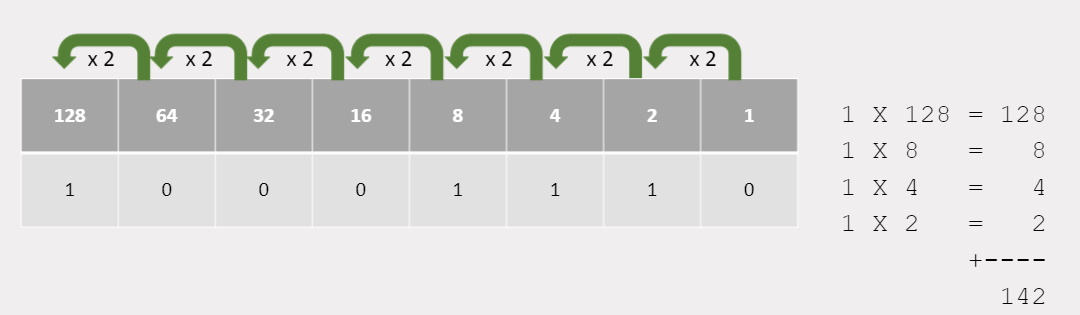
 Kua reri? - Ready? It's your turn... Converting digits into Binary.
Give it another try yourself, try and answer the following. Given the following number in Base2, convert it into Base10: 01101001
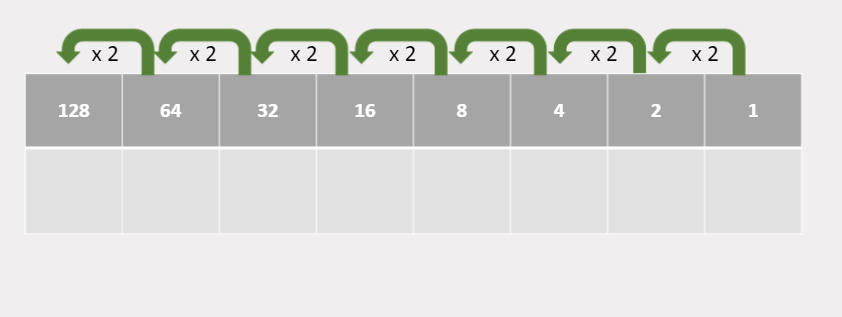
 Kua reri? - Ready? It's your turn... Converting digits into Binary.
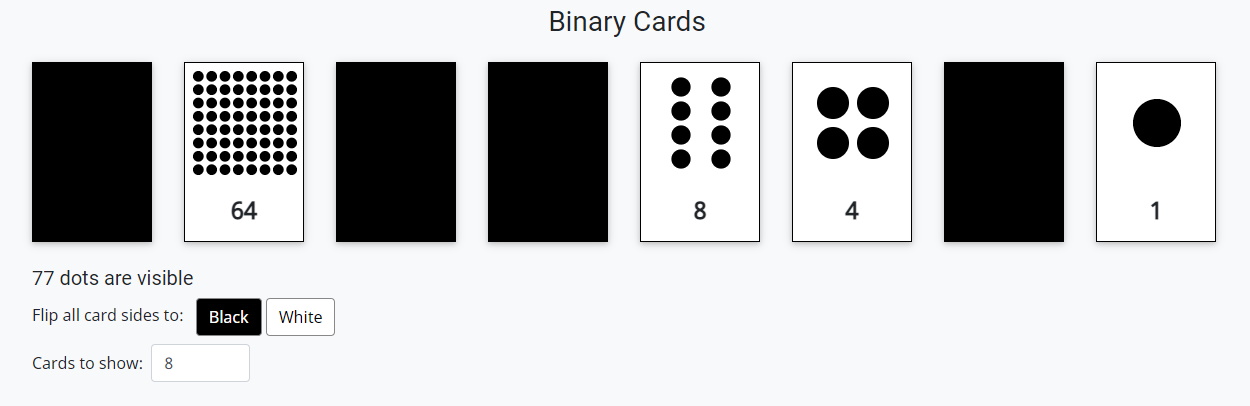
With a partner, or by yourself, practise converting binary numbers into digits. Head to: Interactive binary flash cards (CS Field Guide)
One partner call out a number and the other partner flip the cards to make the number in binary.
You can also change the number of cards shown: how many dots do you think the 9th card will have? or the 10th?
Variables
What are they?
Variable - taurangi
When we create programs, the use of a variable is key to making efficient programs. But what is a variable? a variable is a symbol, character or name that represents some data. We use the same concept in mathematics.
if x is equal to 10 then what does:
4 + x = ?
4 + 10 = ?
4 + 10 = 14
The variable is used as a placeholder for data. When we do the
equation, we substitute the variable with the actual data is contains.
How do we use them?
Variables in code tend to have more meaningful names such as “age” or “score”. We do this because humans are better at remembering names. However, computers need data to function. This is why variables are necessary.
Kōrero Mai: Can you guess the outputs?
int age = 13;
int height = 163;
Console.WriteLine("My age and height are " + age + height);
Declaring Variables
When we create a variable to be used in our code, we declare the type of data at the same time. But why do we need to declare variables?
The computer needs to know what type of information to be stored.
An Integer can’t be stored under a float,
and a string can’t be stored under an integer.
Think of data types as having different shapes and containers. You need to match the shapes (data) with the right container (variable)
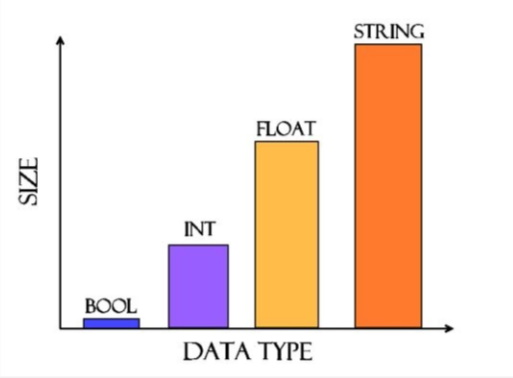
Because data types can contain a variety of data. Different data has difference sizes. Managing data and their sizes is essential for creating efficient programs.
Kōrero Mai: Why do data type sizes vary?
As data is stored on the computer, we need to use bits and bytes to store this information. The more complex the data, the more bytes that are needed to store all the information.
Kua reri? - Ready? Using variables to store and output results
In this exercise you will need to use variables to store and output data to the console.
Remember to use the appropriate data types for the variables. More information is outlined in the ReadMe.md file below: