
Lesson 09: Brief Development
 Kōrero Mai: Recap - Aspects of Brief development?
In lesson 1, we learned about different aspects of developing a design brief. Can you remember what these terms mean?
What is a need, context or concept statement?
The first stage of a design process is to identify a need in the community. A need can also be identified from a given context.
A context is the background given to the designer. It can link to a theme or specific stakeholder.
A design brief is a statement written by a designer after they have identified a need. It explains what will be designed and why this need is important.
This written statement is known as conceptual statement.
Brief Development
Scenario and design brief:
“You work for a company that design and develop software to help its customers.
One client needs you to create a ‘number game’ prototype that uses basic Artificial Intelligence (AI) to guess a number that the user is thinking of.
This prototype program will then be used as an educational tool to help to describe how AI can interact with its human users.”
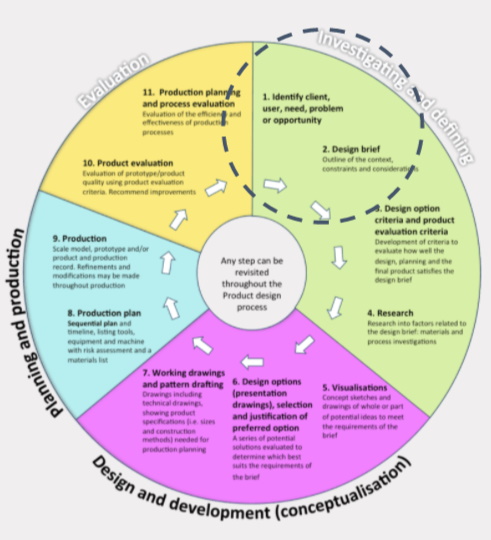
 Kua reri? - Ready? it's your turn... Brainstorm Ideas for the project
Break down the project and consider the following:
What are attributes ?
Before starting to create ideas and concepts a designer uses their knowledge of and understanding of the context, need, stakeholder, etc to be able to create a list of points that the technological outcome (or program in this case) needs to fulfil to make it successful. Let’s try this…
If you had to design a whiteboard marker what attributes would you need to make sure the product would be fit for purpose?
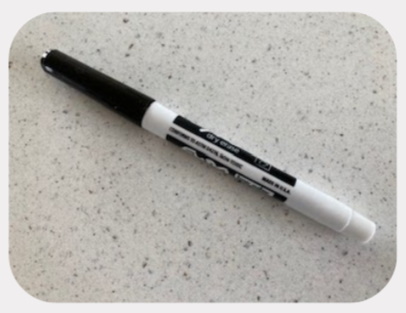
You may have come up with something like this:
- it needs to have a lid
- it needs to show the colour of the ink
- it needs to be plastic
- it needs to be durable
- the ink needs to be able to wipe off surfaces easily
- it needs to be able to be held in the hands easily
- it needs grip for the fingers
Which of these attributes are the most important?
Which ones will affect its fitness for purpose?
What are key attributes?

The bold attributes above are the KEY attributes. If we don’t create an outcome with these features then the product would not be fit for purpose. Here is why:
- it needs to have a lid - to stop the ink from drying out in between uses and thus making the pen unable to work!
- it needs grip for the fingers - to let the user hold the pen without it slipping through their fingers. If it slips, it would make it difficult to write with.
What is a specification?
A specification is the next stage of brief development.
You still create a list of needs and wants but you make sure they are very precise and accurate. They are usually based on background research and knowledge.
They are also used to help test a prototype’s fitness for purpose and it’s ability to fulfil the need.
The specification for the pen could include:
- It must be 135mm in length to be able to fit into the average person’s hand
- It must have a diameter of at least 12 mm to make it easy for adult fingers to grip and hold.
- It must have a securely fitting lid to attach easily to the body of the pen - reducing the chance of the pen coming off when not in use.
Can you think of any other specification points for a whiteboard pen?
Kōrero Mai: what is the difference between attributes and specifications?
What do you think the differences are between attributes and specifications when you are writing a design brief?

Kua reri? - Ready? it's your turn... Create your own Attributes/Specification
Given Brief:
You work for a company that design and develop software to help its customers. One client needs you to create a 'number game' prototype that uses basic Artificial Intelligence (AI) to guess a number that the user is thinking of. This prototype program will then be used as an educational tool to help to describe how AI can interact with its human users.
Your task is to use your brainstorm and prior programming knowledge to write your own attributes and/or specifications for the given brief and need.
Think carefully about about the users needs and the requirements of the client. How could you test the final prototype to make sure it is fit for purpose?
Efficiencies in code
Recap - Using methods to increase efficiency
Lets recap an efficiency in code. This is the creation and use of methods and functions. Think of methods as a way to point to another section of code, before continuing in the usual top down approach.
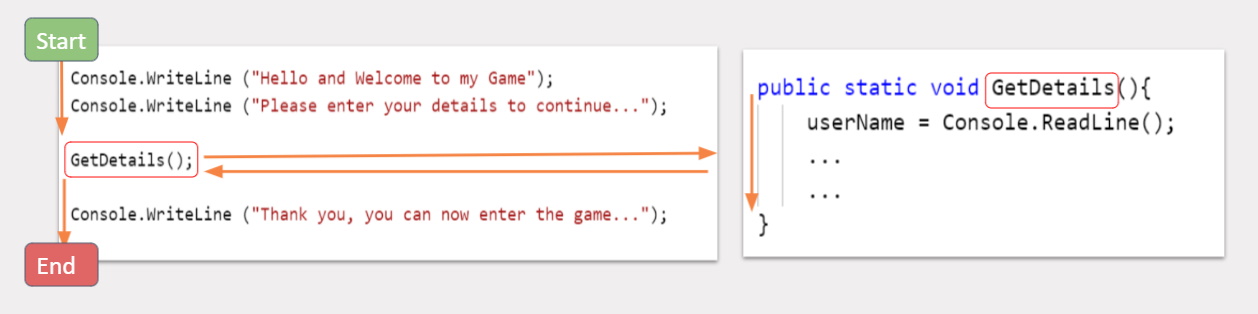
Recap - How do methods work?
As methods are a kind of algorithm, we can visualise methods using flowcharts as well. Take a look at the example:
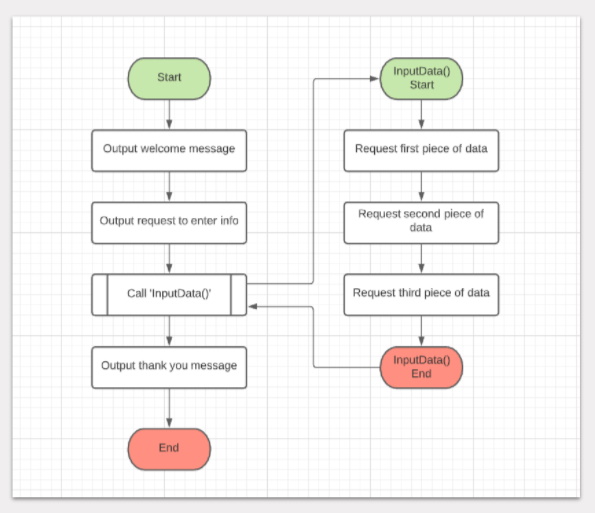
Each method can be seen as their own flowchart that runs from it’s start to end point. One method points to another.
How to create a method in C#
Creating a method in C# is almost identical to declaring a variable. We generally create new methods outside of the brackets of other methods such as main().
Just like a variable we need to specify the type of data being returned and the name of the method. In this example we have the type ‘void’ (nothing) and the name ‘Jump’.
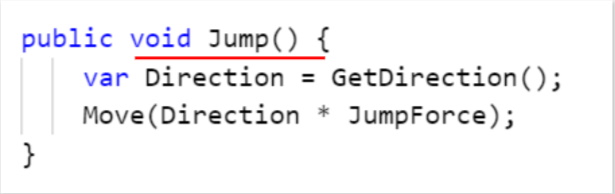
Keep the keyword public there for now, as we will visit this at a later point.
We then just need to create a pair of round brackets ( ) and curly brackets { }. The round brackets are used when we need information to be given for the method to work. Think of Console.WriteLine(""), this requires a string for the method to work.
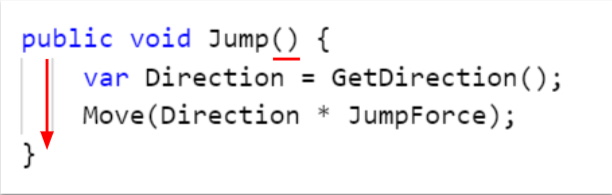
The curly brackets are used to specify what code to execute when the Jump() method is called.
In this case, a direction is calculated using another method, and is then applied through the use of a Move() method.
Number Guesser Project
 Kua reri? - Ready? It's your turn... Applying your Digital Tech knowledge
Access the projects page by clicking here . Alternatively, select the project from the top of the module outline page.
Start by reading through the brief and outline of the project and begin planning your first steps. The included ReadMe file will contain all the information required. Feel free to start programming too!
Note: All of the required tasks of this project use skills that we have learned so far!