
Lesson 01: Design Brief & C# Recap
 Kōrero Mai: What is Design Thinking
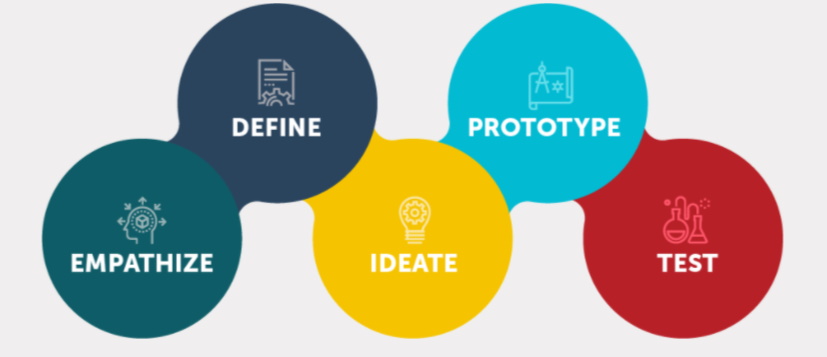
Design thinking is a human-centered approach to innovation and product design.
Design thinking encourages designers to focus on the people they're creating for, which leads to better products and systems.
As designers we can follow a design process to create and develop technological outcomes.
 Kōrero Mai: What is a need or context
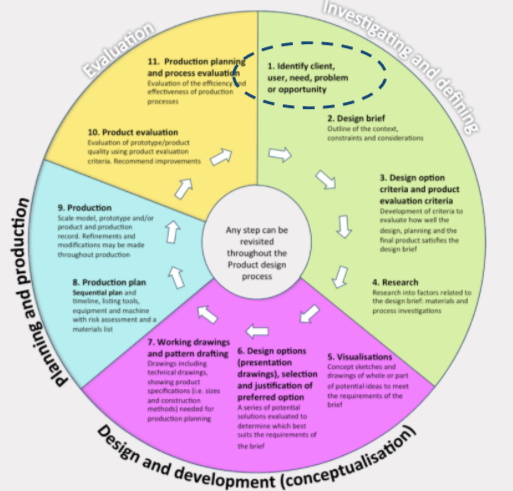
The first stage of a design process is to identify a need in the community.
A need can also be identified from a given context.
A context is the background given to the designer. It can link to a theme or specific stakeholder.
 Context - horopaki
 Kua reri? - Ready? it's your turn... Identify a need from a given context.
Here is a context. Read the paragraph carefully. What do you think the need is?
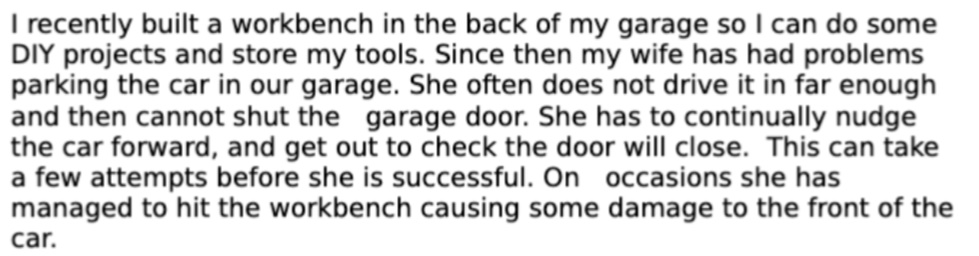
(n.b. a need is a problem to solve or an opportunity - it's not describing a product that your could make)
Another way to identify a need is to brainstorm ideas around a context.
What could the need be? Can you add any more ideas?
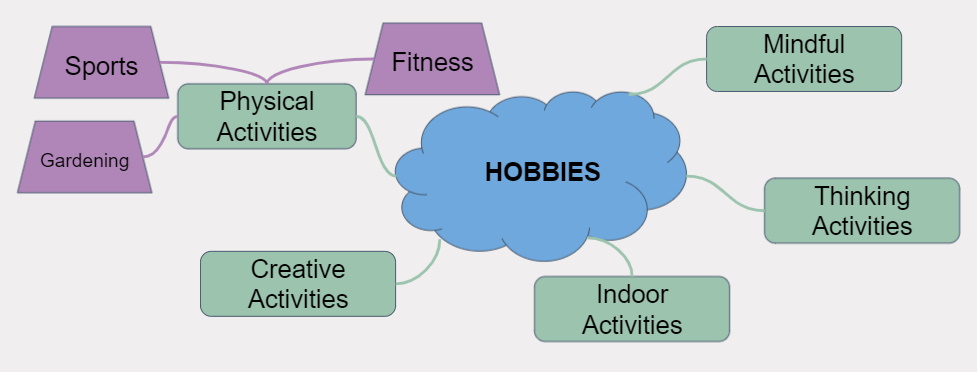
(This technique can allow for many more possible needs to be identified)
Mind map - mahere huatau
Kōrero Mai: What is a design brief
A design brief is a statement written by a designer after they have identified a need. It explains what will be designed and why this need is important.
This written statement is known as conceptual statement.
These questions are important when writing a conceptual statement: When? Where? Who? What? How? and most importantly Why?
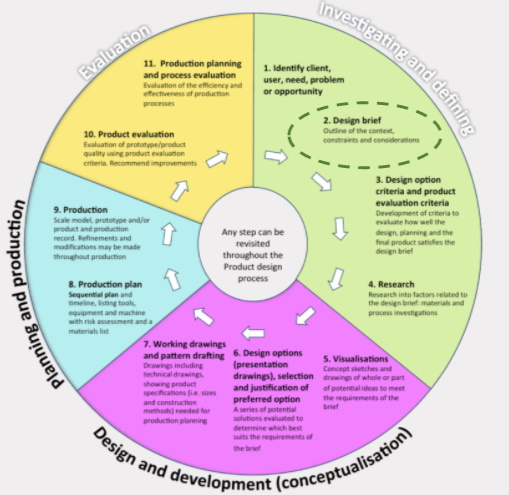 Design Brief - mahere hoahoa
Kua reri? - Ready? it's your turn... Generate a concept statement from an identified need.
What need did you identify from this context?
How can you explain this need (or problem to solve) in a conceptual statement?
At this stage the statement is very general, and open. As a designer, you will not know what exactly will be made yet until you have undertaken more research.
Need: Stopping damage to car & workbench when parking a car in the garage.
Conceptual Statement Example: To design and make a technological outcome for my wife for use in our garage. It must aid her when she drives and parks the car in our garage space. The outcome needs to inform her when and where she needs to stop and park the car. This will be successful if the car is parked inside the garage and the garage door closes easily without causing damage to the car.
Revising our Digital Tech knowledge
Data - raraunga
Let’s revise the different skills and knowledge we have gained, starting with variables and data types.
Variables are best thought of as a container that can hold information for the program to use at any time.
The data inside of the variable can vary, meaning it can be changed while the program is running.
Each variable needs to know what type of information they are storing.
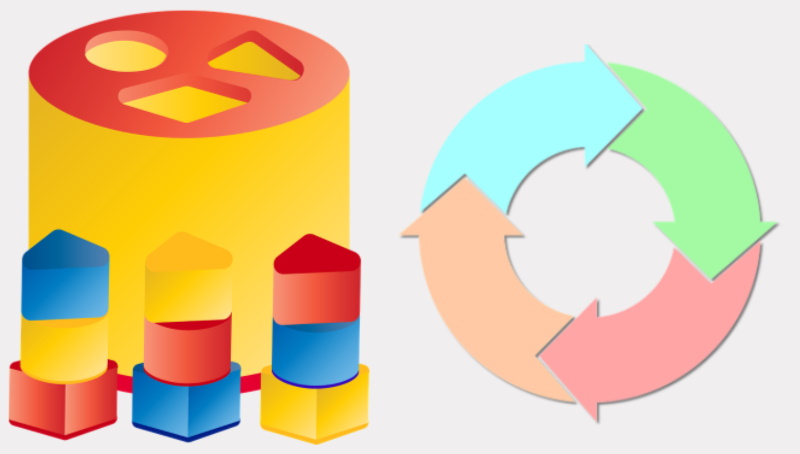
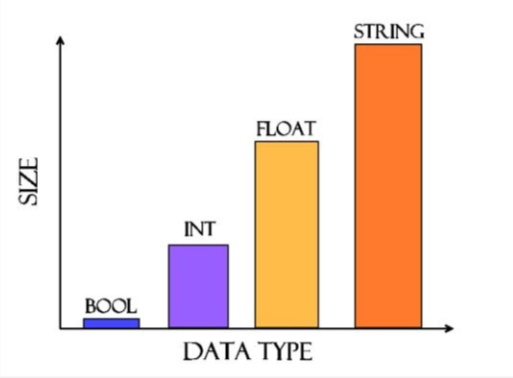
The 4 main data types of programming
Lets recap that 4 main data types that we use while programming:
- Booleans are used when we need to store or use a true or false response.
- Integers are used to store whole numbers, best suited for counting.
- Floats are used to store decimal numbers, best used when accurate values are needed.
- Strings are used to represent text such as words or sentences.
Debugging and decomposition
Debugging - patuiro
Debugging is best done with a slow and methodical approach. Ask yourself what each line or section of your code should do. Test it and discern whether that is the correct result.
Rubber duck debugging
Talk to a rubber duck!
Explain your code to the duck one line and even one symbol and syntax choice at a time. Ducks are slow to understand, so the more detail in the descriptions the better. Thinking out loud is great practice. Explaining those thoughts to someone or something else is better.
How do we write a loop in C#?
Iteration - tōaitanga
Let’s also recap how to write a loop. Loops are often use in programming a lot as we generally want to run multiple lines of code over and over again for certain reason. This could be for sorting data or outputting messages
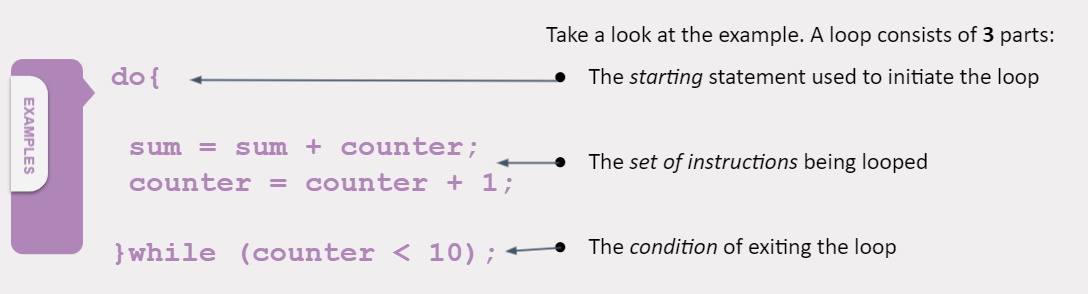
This loops reads as “DO these two instructions WHILE the counter is less than 10”
What to think about when constructing a loop
When we create a loop, we need to be aware of the condition that we are setting.
- Loop 10 times
- Loop until you reach the end goal
- Loop while the weather is sunny
Can you detect any potential bugs in any of the above loops?
What if the conditions are never met?
Our program may freeze and be stuck inside the loop if the exit condition is never met. Be aware of this.
Basic C# principles
Because writing code for a computer has to be done a certain way, there are a number of rules we must follow when writing. These rules are specific to C# but many other languages also share these principles.
The first is case sensitivty. Code is very case sensitive, which means you must pay attention to where you place upper and lowercase letters when typing.
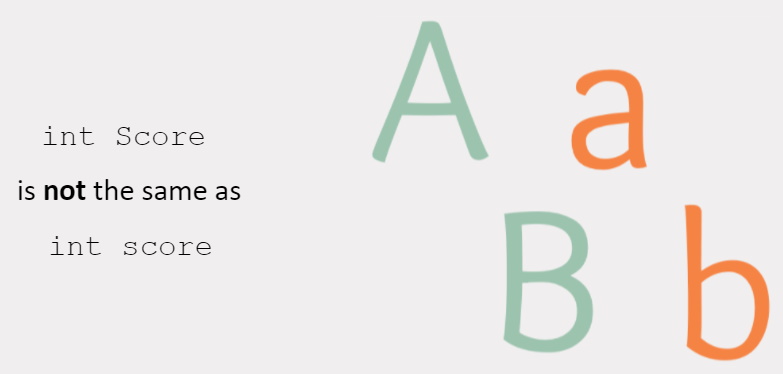
Just like in most spoken languages around the world. Coding also uses a character to represent the end of a sentence or instruction. In C#, each instruction must end with a semicolon ‘ ; ‘.
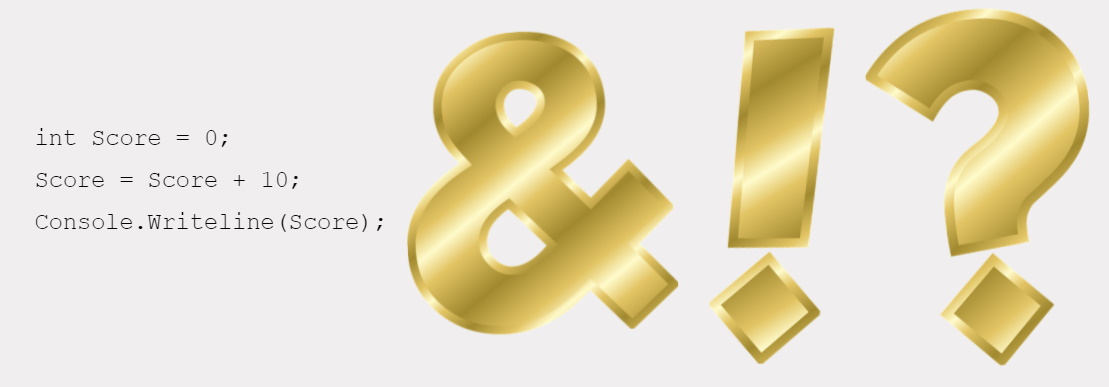
The last main principle is the use of brackets.
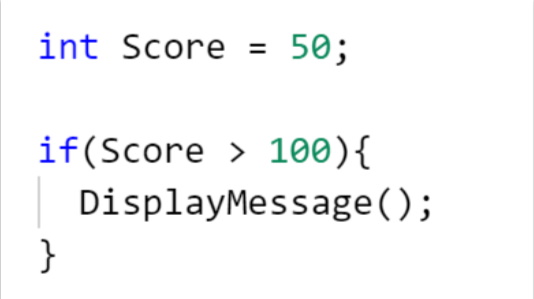
Brackets are used for a number of reasons. They can be used to create a section of code. Or they can be used to specify the input for a given function. Take a look at the example below:
Can you identity all 3 coding principles covered in this code?
Remember: Brackets will always come in pairs. If a bracket is missing a pair, issues can occur.
 Kua reri? - Ready? It's your turn... Revision exercise
Here is a revision exercise that covers some of the previously mentioned points.
This exercise requires you to debug an application that uses loops and data manipulation. Follow the provided brief to understand how the application should work.