
Lesson 1: Introduction - Inputs and Outputs
 Input Device - pūrere tāuru
Output - huaputa
“(The study and knowledge of) the practical, especially industrial, use of scientific discoveries” (Cambridge Dictionary)
Technological systems surround us all the time. They can be:
- Electrical
- Mechanical
- Pneumatic
- Electronic
- Hydraulic
- Digital
A technological system can be described and explained by breaking them down into subsystems. When we look at all technological systems, they have inputs and outputs. Inputs are transformed into outputs in a controlled manner.
Examples of inputs in a technological system: raw materials, information, human interaction and types of energy.
Examples of outputs in a technological system: intended outcomes for the system & unintended e.g. heat, pollution, etc
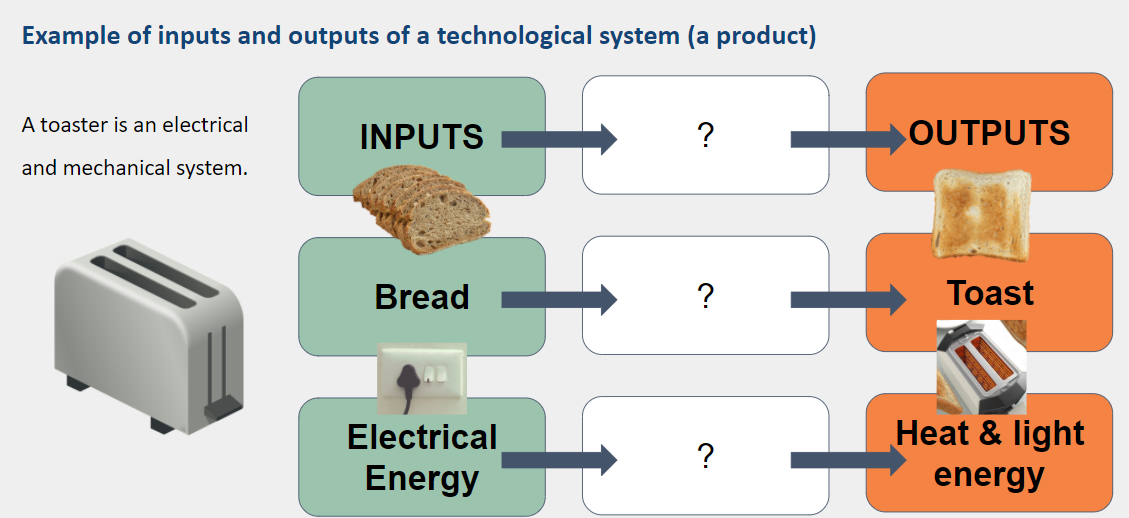
 Kōrero Mai: What are the inputs and outputs in a torch?
How does the input transform into the output?
Kōrero Mai: What are the inputs and outputs in a torch?
How does the input transform into the output?

The Hardware of a computer
A closer look at Digital Technology systems:
Digital Technologies - hangarau matihiko
- Look at the parts of a computer and its associated devices. Can you identify them and explain what they do and how they are connected to a computer?
- Identify if the components are inputs or outputs
- Can you think of any more inputs and outputs for a computer?
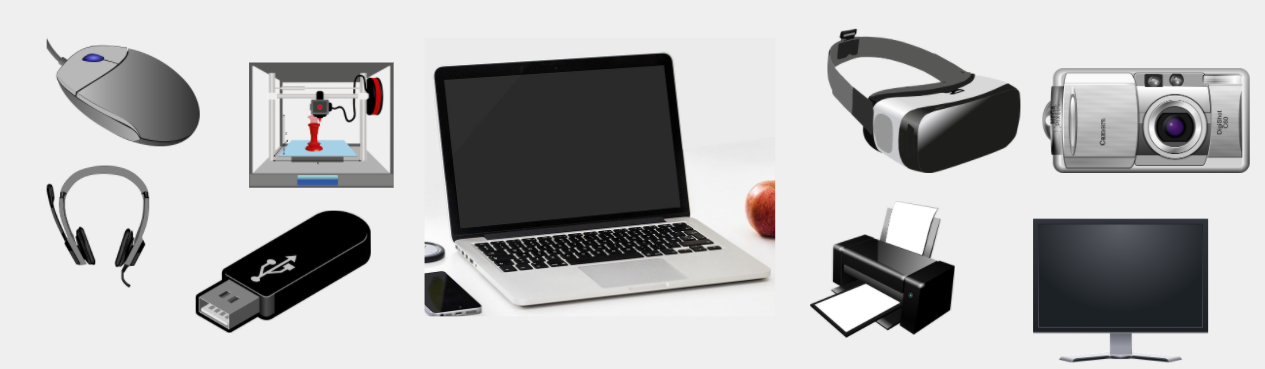
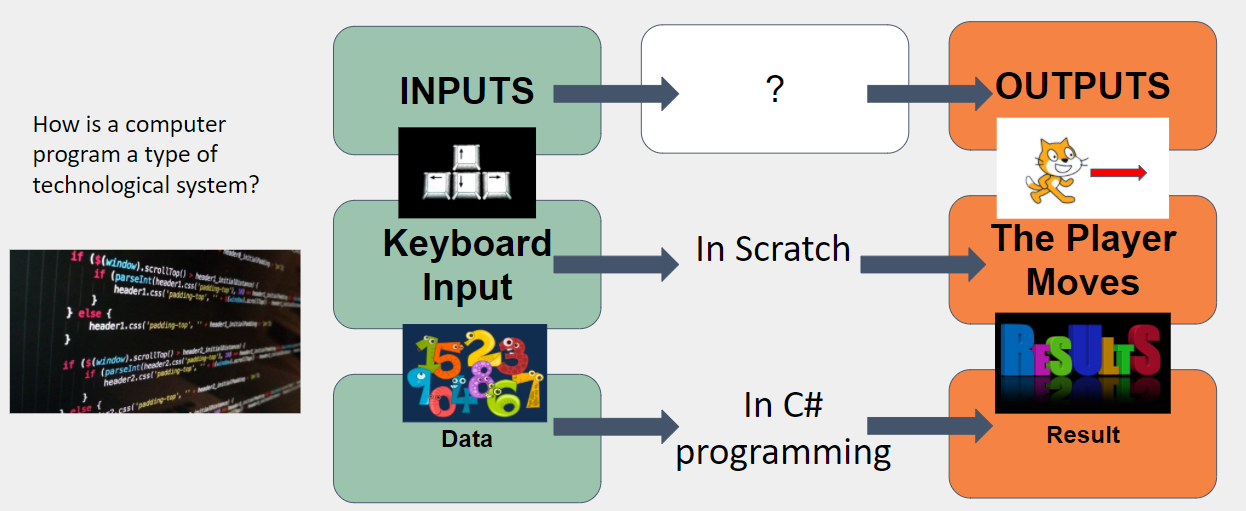
Analysing Inputs and Outputs in digital technologies
Block based programming uses inputs and outputs too. We provide the computer with Inputs (pieces of data) and by undergoing a process, an Output is produced. The only difference between Block-based and Text-based programming is how we use it. The same Input will produce the Same output if the process is created the same way. Take a look at the example below. Can you identify the similarities?
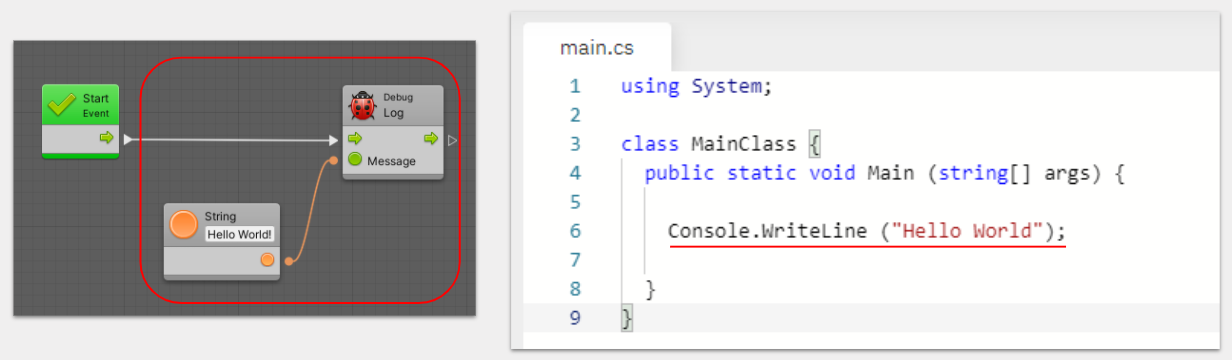
Generating Outputs through C# code
Below is an example of how we can output messages to a console through C# scripting. Go ahead and run the program and see the Output it creates. Think you can change the output? Go ahead and give it a try! Edit the code below:
 Want to try more?
If you are feeling confident with this, try some of these bonus exercises by editing the above code:
Want to try more?
If you are feeling confident with this, try some of these bonus exercises by editing the above code:
- Change the message output to include symbols (!, ?, $ ...)
- Output multiple sentences at once
Example of using symbols
using System;

class MainClass {
  public static void Main (string[] args) {

    Console.WriteLine ("What is your name?");

  }
}
Example of multiple sentences
using System;

class MainClass {
  public static void Main (string[] args) {

    Console.WriteLine ("What is your name?");
    Console.WriteLine ("My name is Computer073288312");
    Console.WriteLine ("I'm fast at calculating maths!");

  }
}
Test your knowledge!
Test your knowledge of this lesson and submit your response to show proof of completion.