
Lesson 9: Data Representation with images
 binary system - pūnaha tāhūrua
 Kōrero Mai: What is colour? How is colour created?
In Art classes you may have come across colour theory.
There are 3 primary colours that can be mixed to make
new colours. What are they?
If you mix different colour paints together then you can
make new colours.
For example, what colour would you make if you mixed:
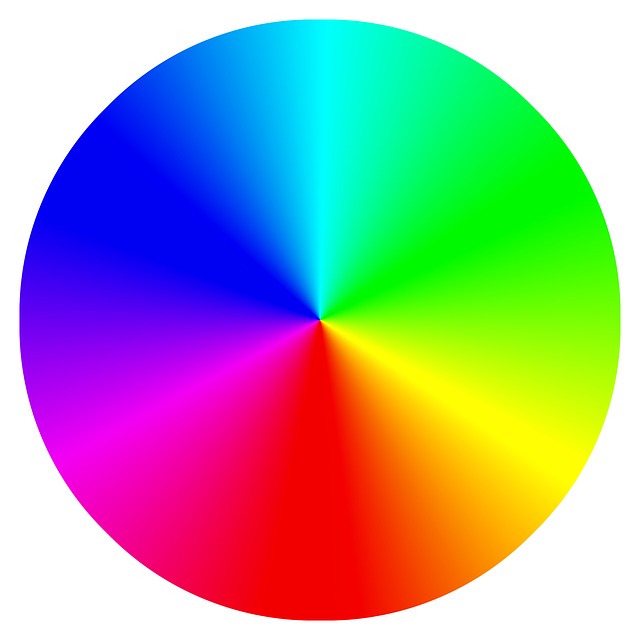
Kōrero Mai: What is colour? How is colour created in digital technologies? In Digital Technologies colour can be created in a very similar way.
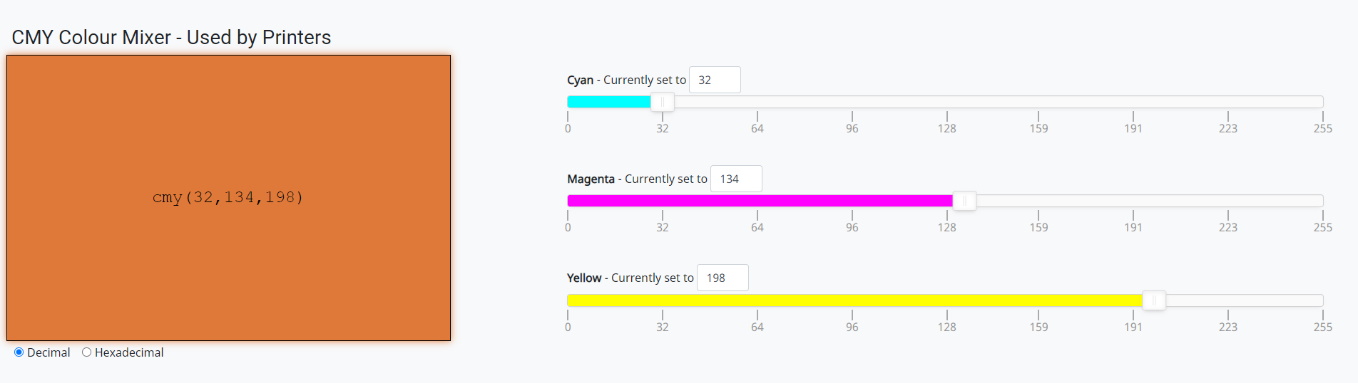
Printers for example use “subtractive mixing”, where they use white as a background and remove certain colours from it. They have 3 different primary colours to start with, cyan, magenta & yellow (CMY).
Head to CS Field guide CMY Interactive.
This will allow you to play with “subtracting”
different colours.
Other digital technology devices that use colour are your screens on computers, tablets, phones etc.
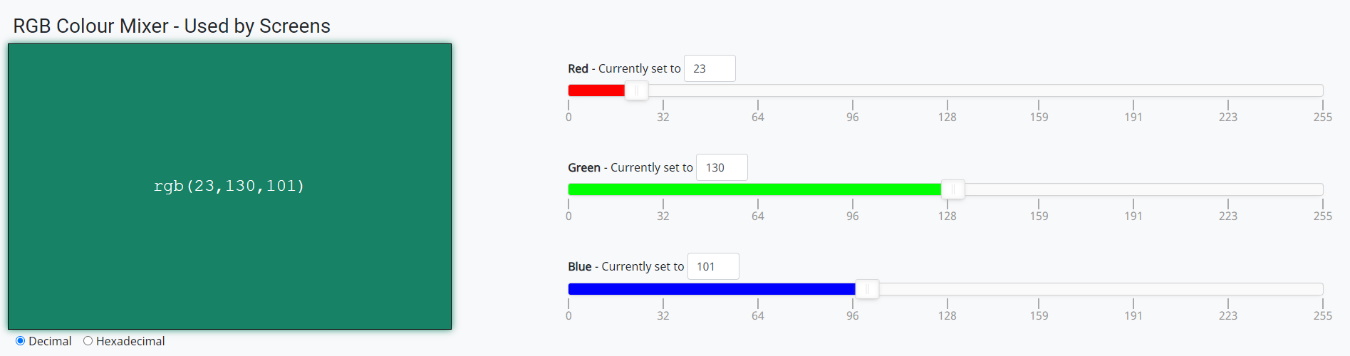
These use “additive mixing”, and so need a different set of primary colours, these being red, green and blue (RGB). Each pixel on a screen is made up of 3 “lights”, when they turn on they can create different colours.
Head to CS Field guide RGB Interactive.
- Can you make green, purple, orange?
- Can you make black and white?
- Can you make shades of grey?
 Kōrero Mai: How is colour created in digital technologies?
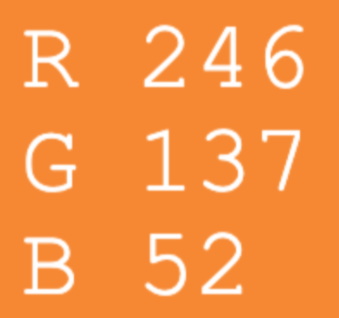
 Any image on a screen is made up of pixels. One pixel uses red, green and blue lights to create the colour needed for an image.
Red, green and blue can have digital values up to 255. When you change these digits, the colours change too. By using these values you can create up to 16,777,216 possible colours!
Look at the VR Voom Logo Orange. To make this colour, the pixel needs 3 numbers. What are they?
Did you know?
The word pixel is an abbreviation of picture element.
 Kua reri? - Ready? It's your turn... Have a go at changing images to pixels.
Head to CS Field guide Pixel Viewer
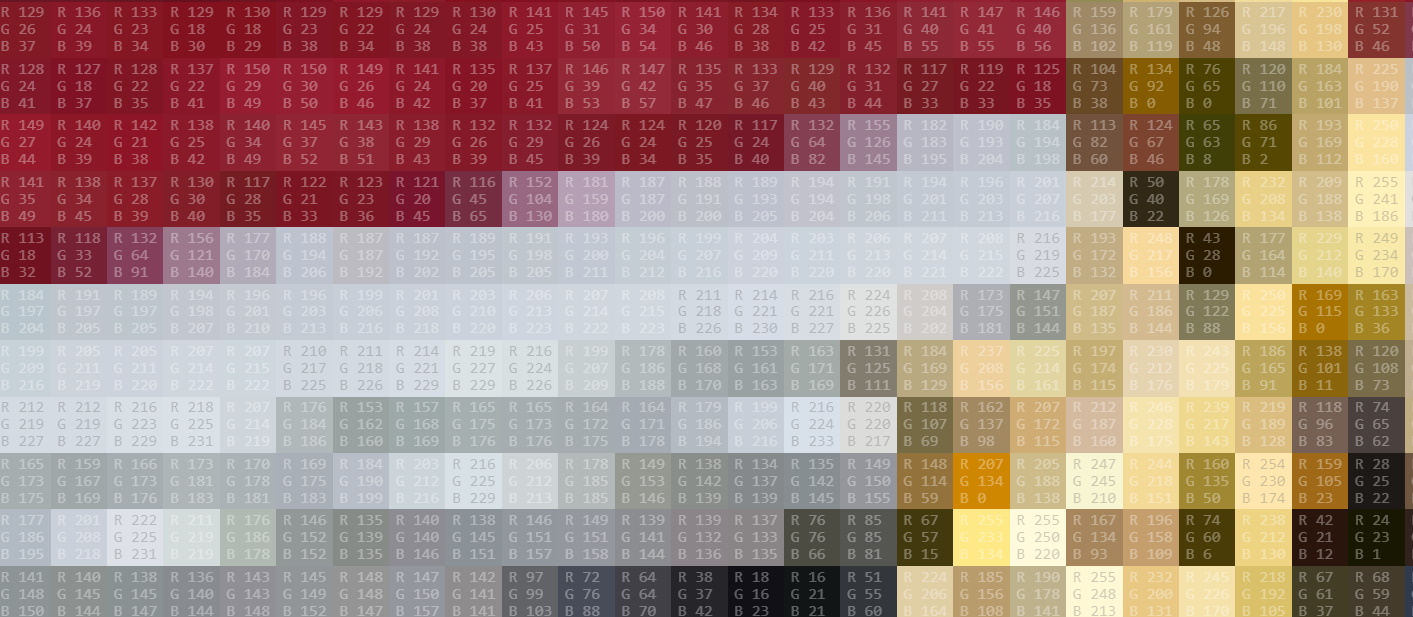 Kōrero Mai: How do pixels & RGB link to binary codes?
 We can use 8 bit binary codes to represent the Red, Green and Blue colours. 1-Byte per colour (RGB)
For example:
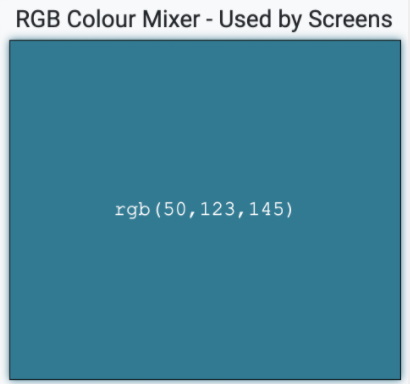
If red is 50, green is 123 and blue is 145, then we get the blue in the image below.
If we convert each digit into binary then,
- red 50 = 00110010
- green 123 = 01111011
- blue 145 = 10010001
If we put these together we get a 24 bit binary representation (code): 001100100111101110010001
 Kōrero Mai: Does changing the size of binary digits make a difference to an image?
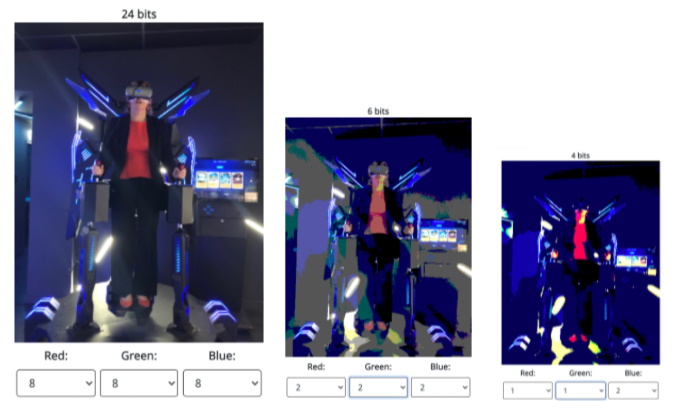
 What happens when we change the size of binary digits in an image?
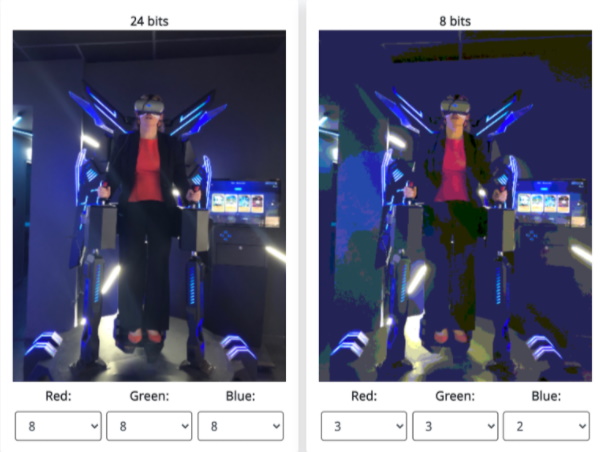
If we reduce the size of a pixel colour from 24 bit to 8 bit then we can see the image will change.
What changes can you see?
Why does this happen?
 Kua reri? - Ready? It's your turn... Have a go at changing pixel sizes.
Head to CS Field guide Image comparer
Did you know? Display resolution: The resolution of a screen refers to the number, or density, of pixels on the screen.
Continuing on your project
Kua reri? - Ready? It's your turn... Continue working on your project and debug it
Design Brief:
The school is hosting a talent show that requires students and participants to enter in their details to show interest. You need to design and create a digital app that requests users to enter in this information if they wish to sign up.
Click here to continue the project or find the project in the module 1 list
Finding it hard to start? Here are some tips:
Debugging your project for final review - Where to start?
Debugging and testing your software application is an essential part of being a developer. Bugs to test would be:If any of these produces bugs or not intended results, bring along your rubber duck and read through your code!